your journey map
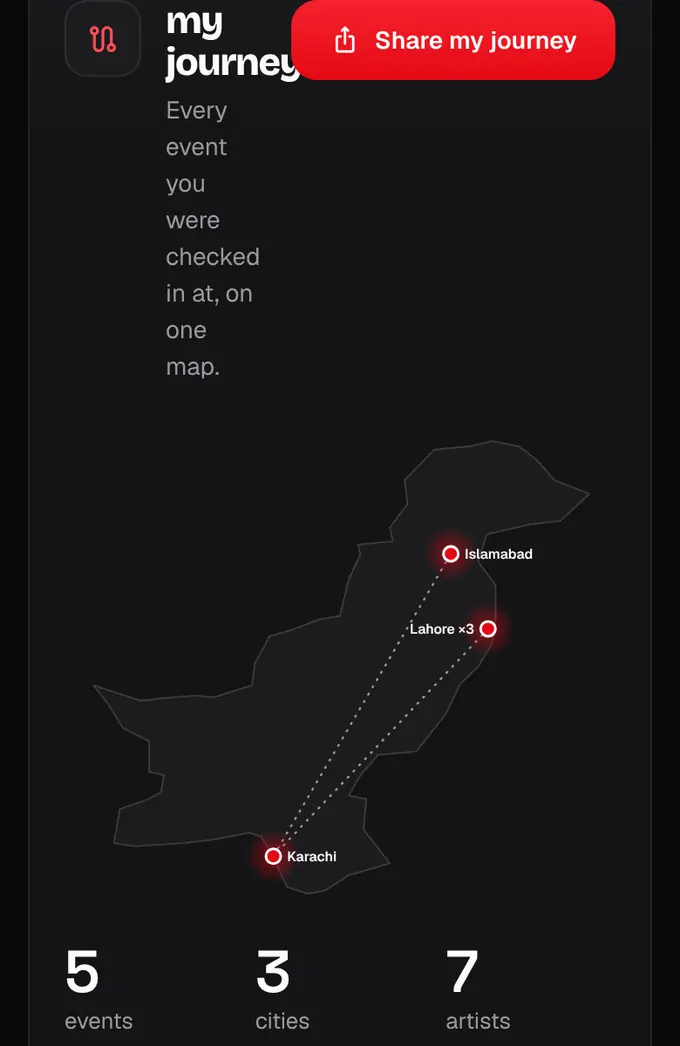
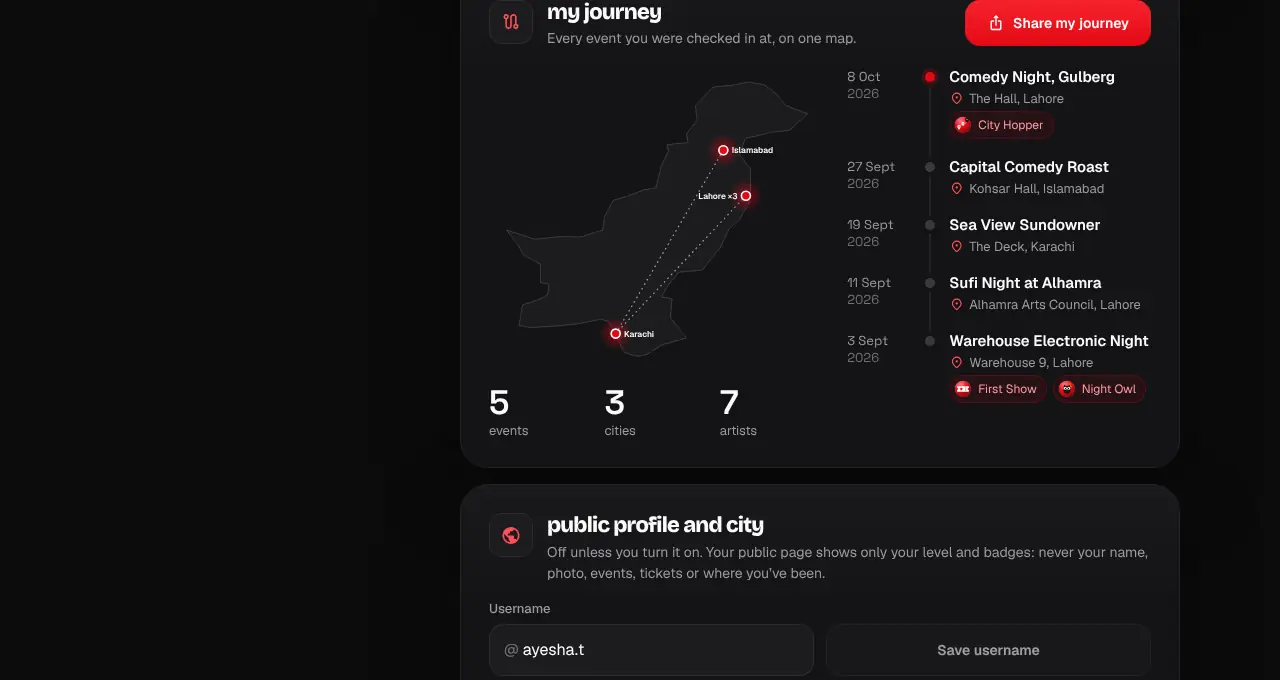
Every event you went to on a map of Pakistan, with a timeline and your totals, ready to share.
- 1
Open your account and scroll to My journey (or go to shapargullay.com/account#journey).
- 2
The map has a pin for each city you went to an event in, joined in the order you first went. Below it: how many events and cities.
- 3
The timeline lists each event, newest first, with the date, venue and any badge it unlocked. Tap an event to open its page.
- 4
Tap Share my journey for a story (1080×1920) and a post (1080×1350). On a phone, Share opens your share sheet (Instagram, WhatsApp and so on); on a computer it downloads the picture.
- Only events you were checked in at appear. Online events count, but don’t add a city.
- The images show your level, cities, totals and badges. No tickets, QR codes or prices.
Was this helpful?
related
Still stuck?
didn’t find what you need?
smart_toyAsk ShappyOur assistant answers straight away, with live dates, prices and your orders.chatOpen the chat
support_agentContact supportTalk to a person. We reply within one working day. WhatsApp takes messages (not calls), and each chat gets a support reference.