levels and badges
Go to events, level up from Newbie to Legend and collect 12 badges. They’re earned, never bought.
- 1
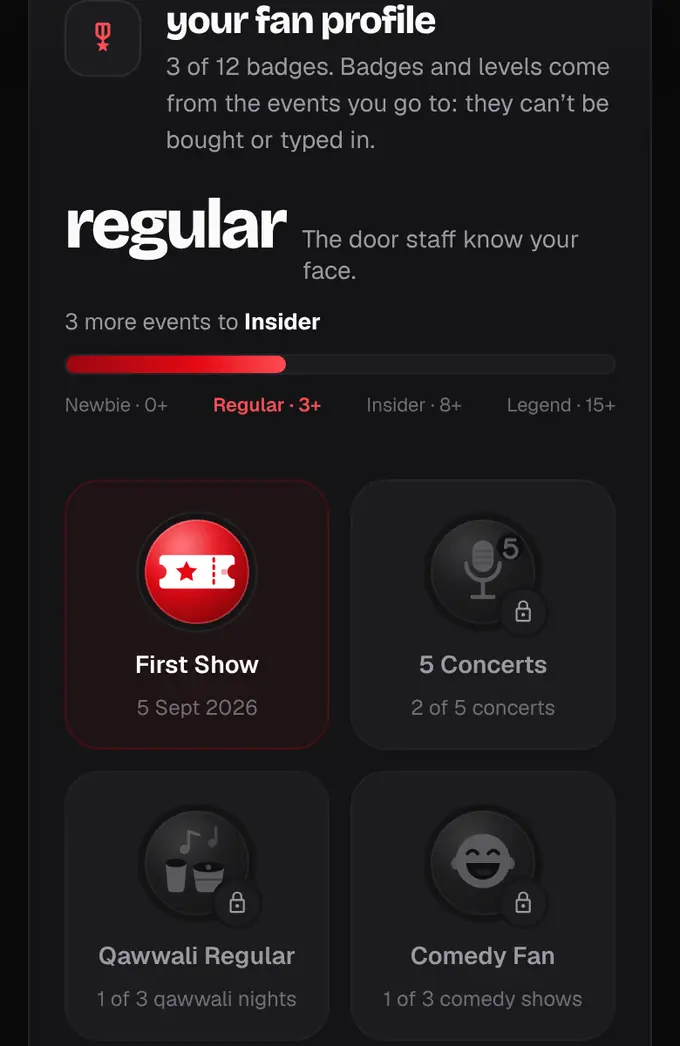
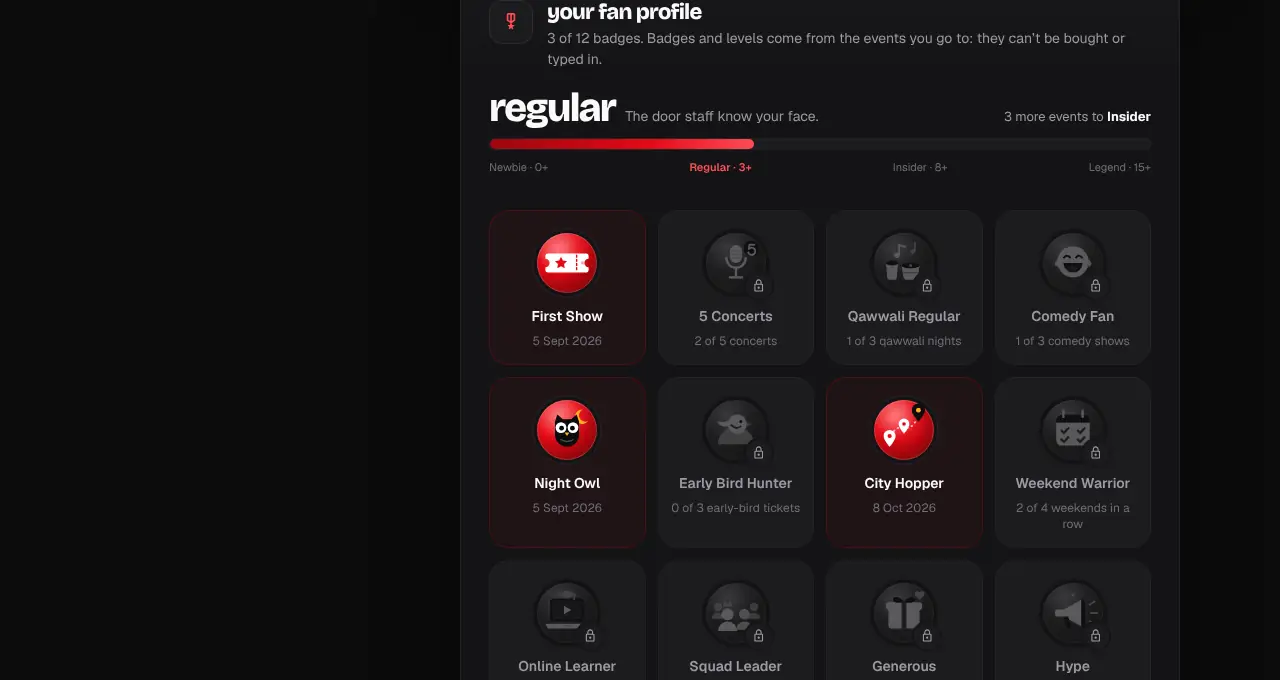
Open your account (tap your photo, then Account, or go to shapargullay.com/account). Your fan profile shows your level, a bar to the next one and all 12 badges.
- 2
Your level counts the events you were checked in at (scanned at the gate, let in at the help desk, or joined online): Newbie, then Regular from 3 events, Insider from 8 and Legend from 15.
- 3
Badges you have are in colour with the date you got them. Locked ones are grey and say what’s left, like “2 of 3 qawwali nights”.
- 4
The badges: First Show (your first event), 5 Concerts, Qawwali Regular (3 qawwali nights), Comedy Fan (3 comedy shows), Night Owl (walked in after 10 pm), Early Bird Hunter (3 early-bird tickets), City Hopper (events in 3 cities), Weekend Warrior (4 weekends in a row, Friday to Sunday), Online Learner (2 online events), Squad Leader (4 or more people in one order), Generous (sent or gifted a ticket) and Hype (shared “I’m going” for 3 events).
- 5
When you unlock one you get a notification (“New badge: Night Owl”), and the next time you open your profile it pops in with a little burst of stars.
- Badges are worked out from your real check-ins and orders. Nobody, not even our team, can type one in.
- A ticket that was blocked, removed or refunded doesn’t count.
- Switch off badge notifications under Notifications, “New badges”.