your public fan profile
Pick a username and, if you like, show your level and badges at shapargullay.com/u/yourname.
- 1
Open your account and scroll to Public profile and city.
- 2
Choose a username: 3 to 24 lowercase letters, numbers, dots or underscores. Tap Save username. It also replaces your first name on share pictures.
- 3
Turn on Show my badges publicly. Your page is live at shapargullay.com/u/yourname. Turn it off any time and the page disappears.
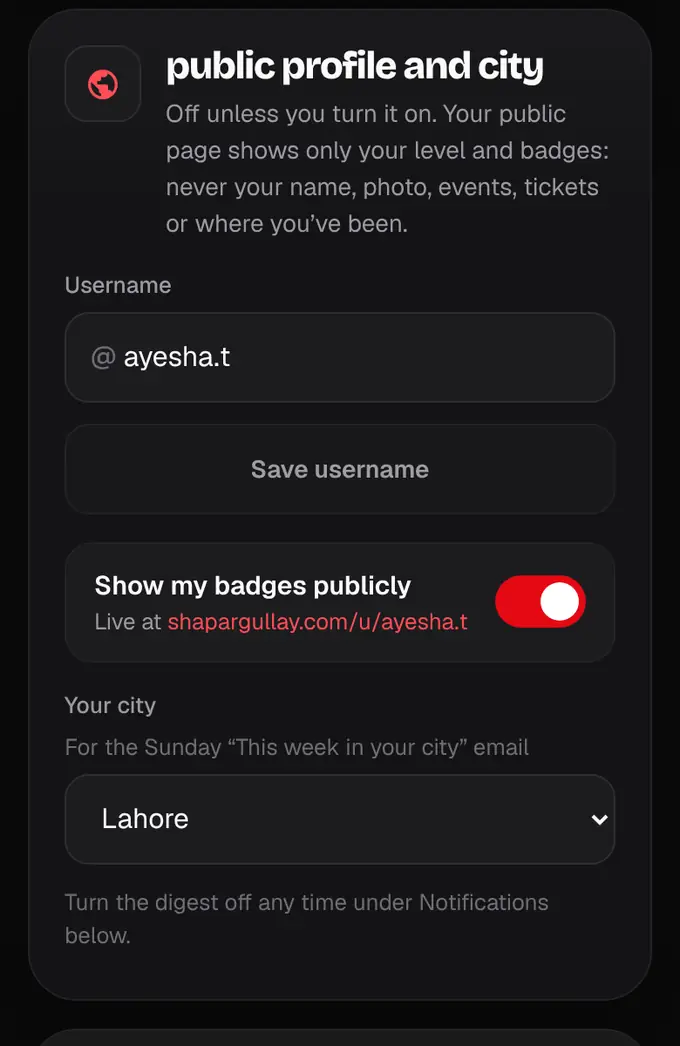
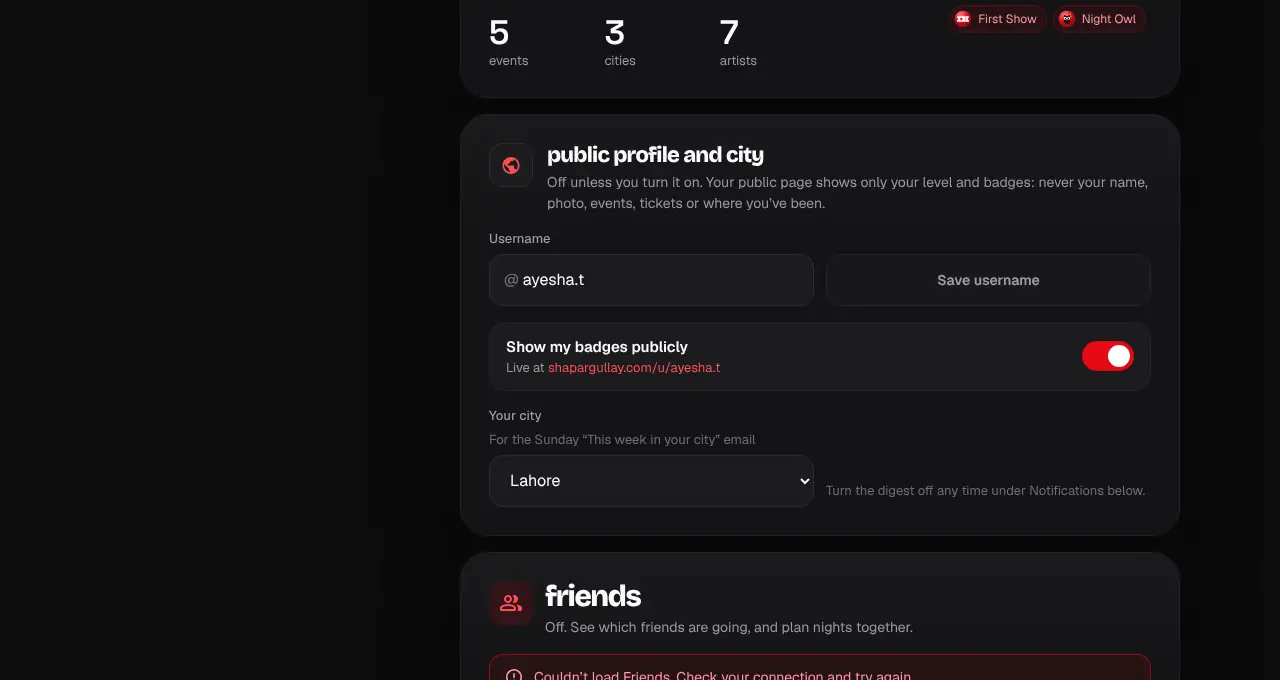
- It’s off unless you turn it on.
- The public page shows only your username, level and badges: never your name, photo, events, tickets, city or where you’ve been.
- Clearing your username also turns the public page off.
Was this helpful?
related
Still stuck?
didn’t find what you need?
smart_toyAsk ShappyOur assistant answers straight away, with live dates, prices and your orders.chatOpen the chat
support_agentContact supportTalk to a person. We reply within one working day. WhatsApp takes messages (not calls), and each chat gets a support reference.