show your ticket with no signal
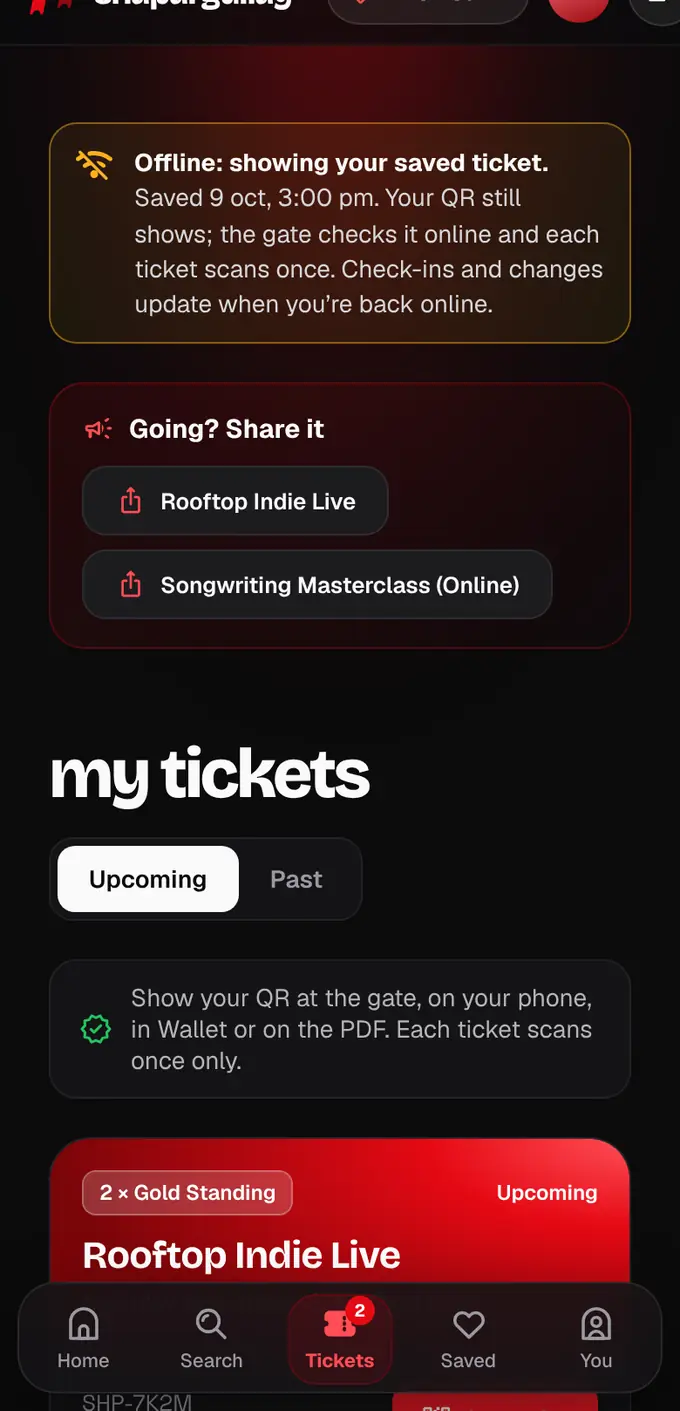
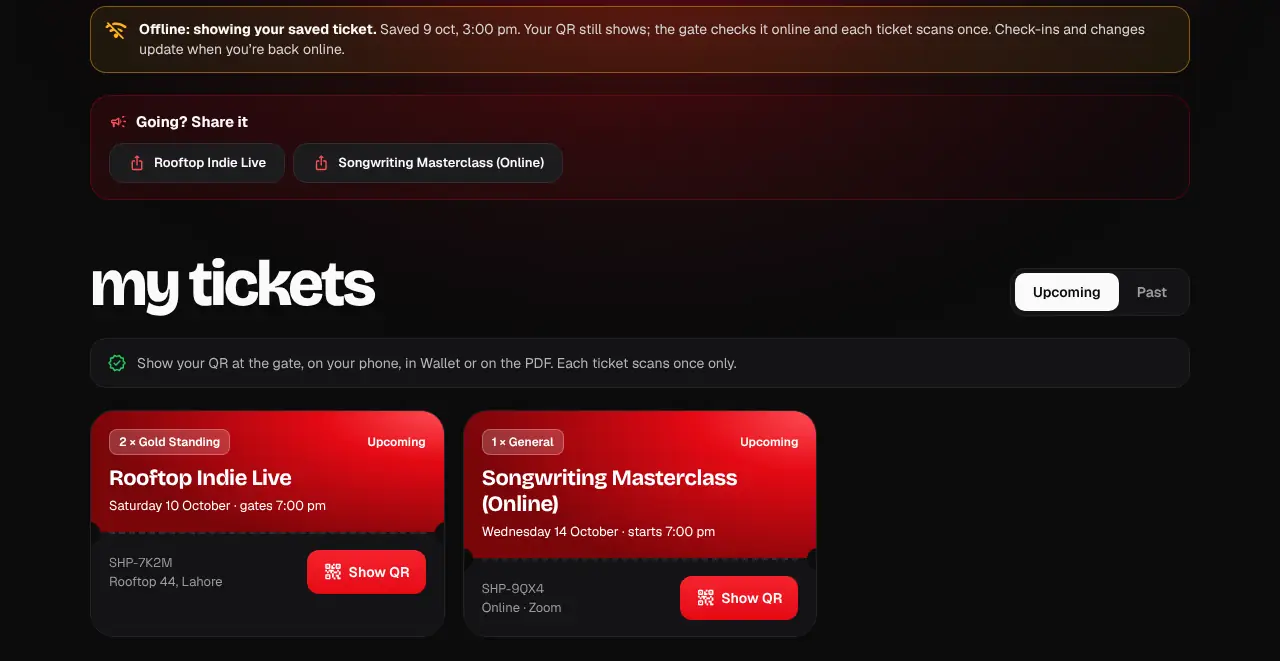
Open your tickets once while you have internet, and the QR still shows at the gate in airplane mode.
- 1
While you have internet, open My tickets once (the app also saves them when it opens and right after you buy). Your tickets are saved on that phone, for your account only.
- 2
At the gate with no signal, open My tickets (website or app). You’ll see “Offline: showing your saved ticket” and the QR as usual. Show it to the gate staff.
- 3
The gate checks the code on their phone (online, or against their offline pack if their signal drops), so nothing changes for you: each ticket still scans once only.
- 4
When your phone is back online, My tickets updates by itself: a scanned ticket shows “Checked in at 8:42 pm · Gate 3”.
- If the organizer or our team blocked or removed a ticket while you were offline, its QR disappears the next time your phone is online.
- Logging out clears the saved tickets from that phone or browser.
- Online events need internet to join; there’s no QR for them.
Was this helpful?
related
qr_code_scannerShow your QR code at the gateOpen the ticket and show its QR. Each ticket scans once, so keep it to yourself.qr_code_scannerMy phone died at the gateThe help desk can find your ticket by your name or phone number and check you in.confirmation_numberWhy is my ticket blocked or removed?The organizer or our team stopped the ticket, with a reason. Here’s what that means and what to do.
Still stuck?
didn’t find what you need?
smart_toyAsk ShappyOur assistant answers straight away, with live dates, prices and your orders.chatOpen the chat
support_agentContact supportTalk to a person. We reply within one working day. WhatsApp takes messages (not calls), and each chat gets a support reference.