choose what to ask buyers
Name, phone and email are always collected. Ask for gender only if you need it.
- 1
Every buyer’s name, phone number and email always come from their account. At checkout they name each guest.
- 2
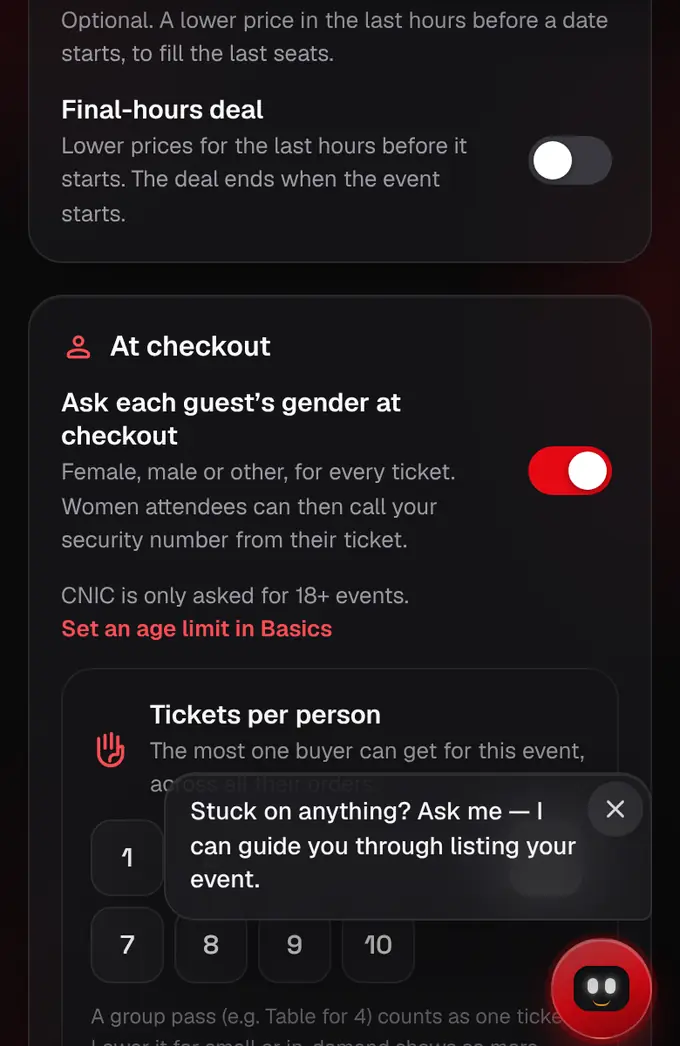
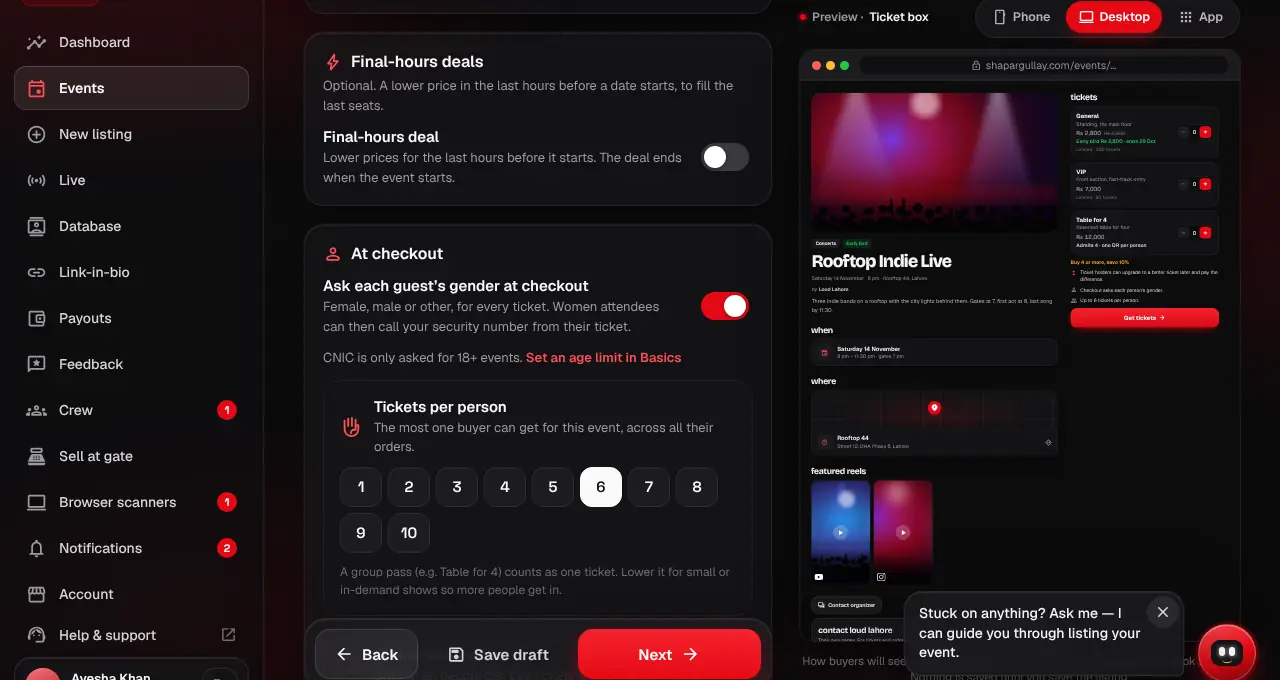
Need each guest’s gender (useful for girls-only areas)? In the listing editor, under Ticket options, turn on “Ask each guest’s gender at checkout”: each guest then picks Female, Male or Other. Women attendees can then call your security number from their ticket.
- 3
Age is set for the whole event in the basics, under Age limit. Only 18+ events ask for a CNIC, one for every guest.
Was this helpful?
related
Still stuck?
didn’t find what you need?
smart_toyAsk ShappyOur assistant answers straight away, with live dates, prices and your orders.chatOpen the chat
support_agentContact supportTalk to a person. We reply within one working day. WhatsApp takes messages (not calls), and each chat gets a support reference.