confirm your number on whatsapp
Your tickets and event updates come to this number, so let’s make sure it’s yours. It takes one tap: you send a message with your code from WhatsApp and we confirm you automatically.
- 1
When you create an account (or on the Account page, under Your number), enter your mobile number. It’s the number your WhatsApp is on.
- 2
Step 1: Tap Continue on WhatsApp. A message with your code opens, already typed.
- 3
Step 2: Just press Send. No need to copy or type the code anywhere. It goes to shapargullay on WhatsApp, +92 322 777 4595.
- 4
Step 3: We receive it, see it came from your number, and confirm you here automatically. The screen shows “Number confirmed ✅” and carries on. We also reply on WhatsApp with a Back to shapargullay button.
- 5
On a computer? Scan the QR code next to your code with your phone’s camera, and WhatsApp opens on your phone with the message ready.
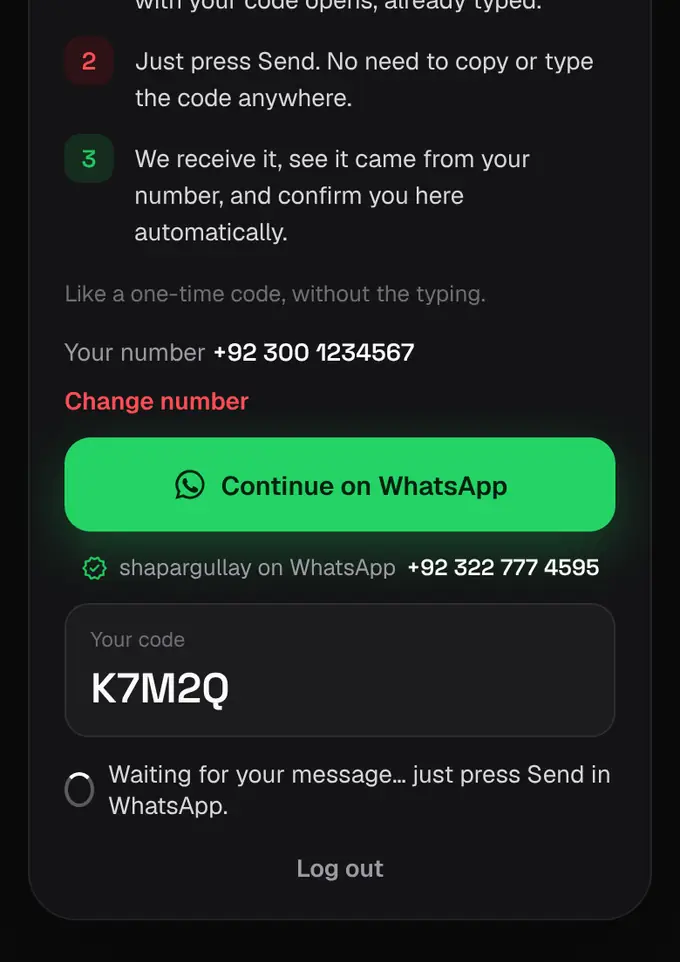
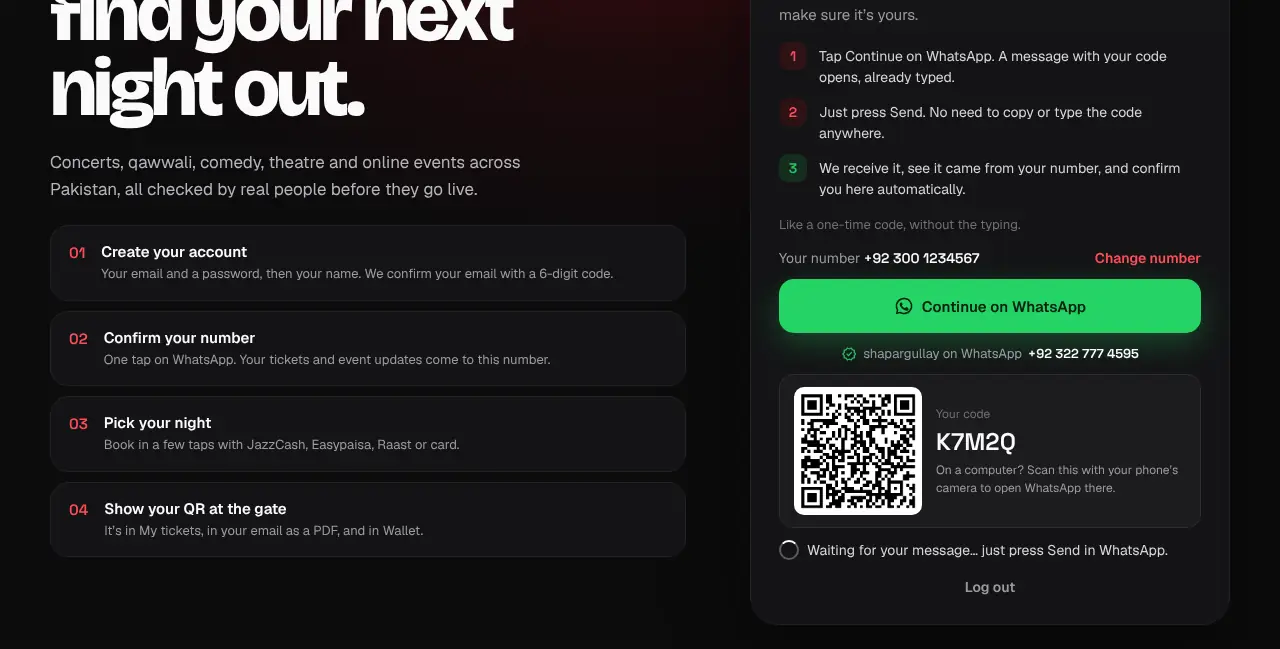
- Like a one-time code, without the typing.
- Send it from the WhatsApp on the number you entered. If it comes from another number, we reply and ask you to send it from the right one, or you can tap Change number.
- Codes last 15 minutes. If yours has run out, tap Get a new code and send the new one.
- Each number can be confirmed on one shapargullay account.
- New accounts confirm their number before buying tickets, listing events or getting paid. Browsing is always open.