set up your gate crew with codes
Give each scanner phone a one-time 6-digit code. No account needed.
- 1
Open Crew at shapargullay.com/organizer/crew (or the Crew tab in the Organizer app). Choose how many codes you need, add a label like “Gate 2 team” if you like, and tap Make codes.
- 2
Tap Send next to a code to share it (on WhatsApp or any app) with someone on your gate team.
- 3
They open shapargullay.com/scanner on their phone (or install the shapargullay Scanner app), type the code and their name, and tap Join. Their phone can now scan your events only.
- 4
Under crew you see each phone’s name, model and scans. Message the whole crew at once, or remove a phone to sign it out straight away.
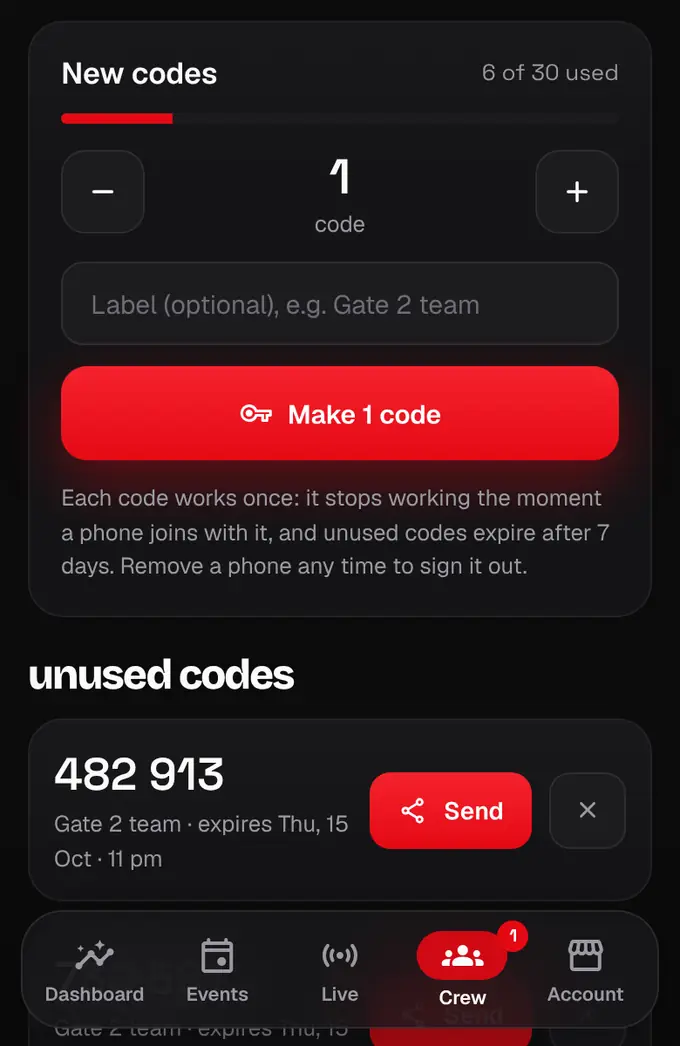
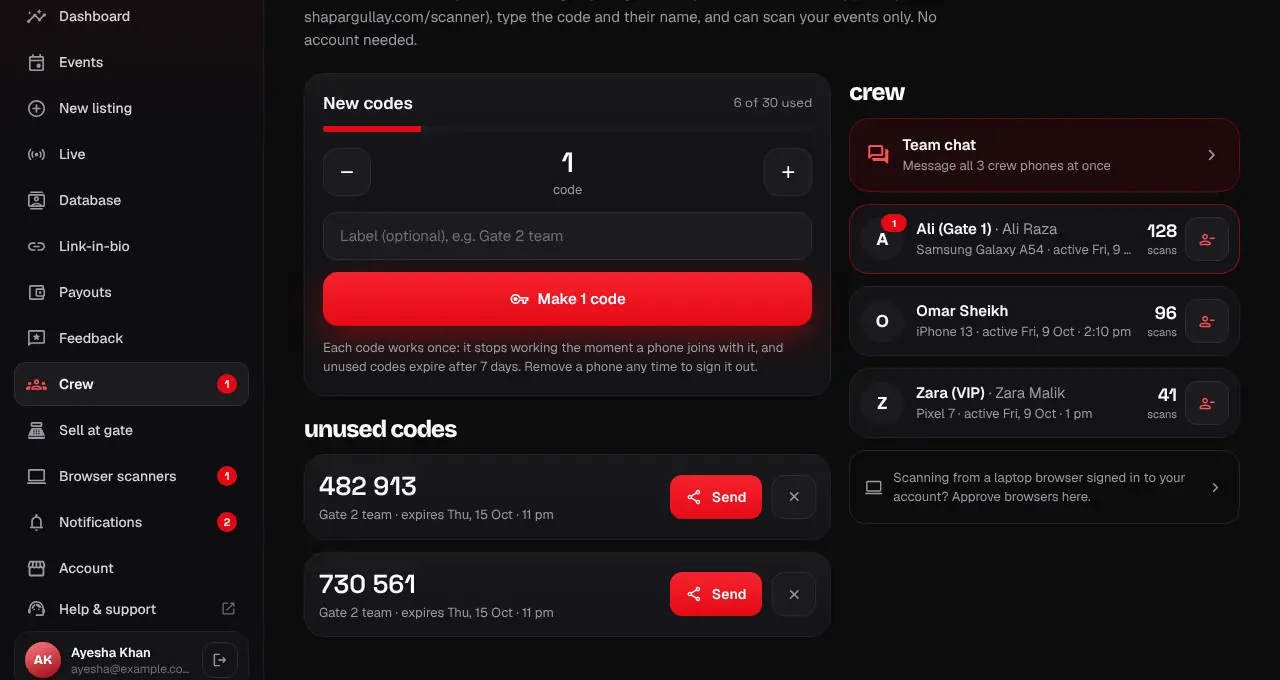
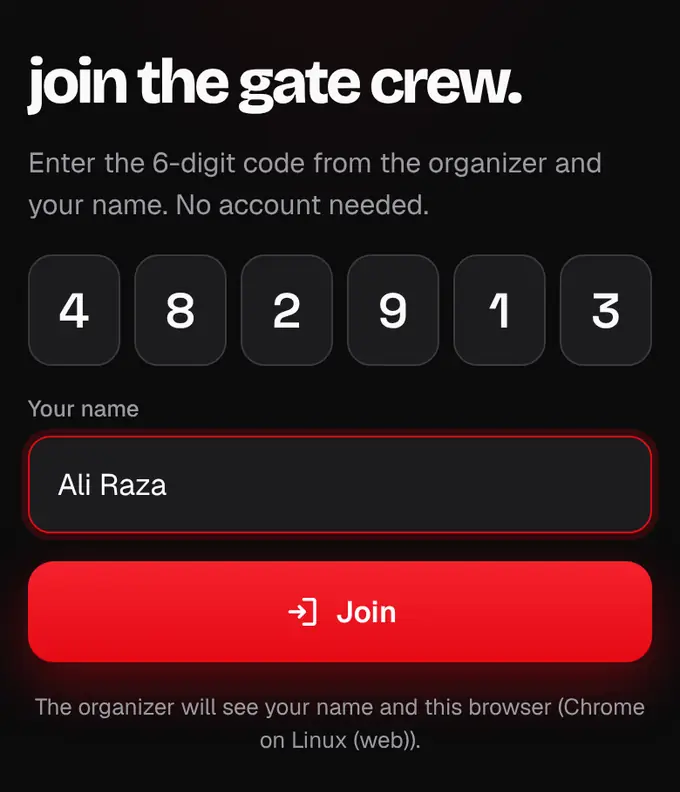
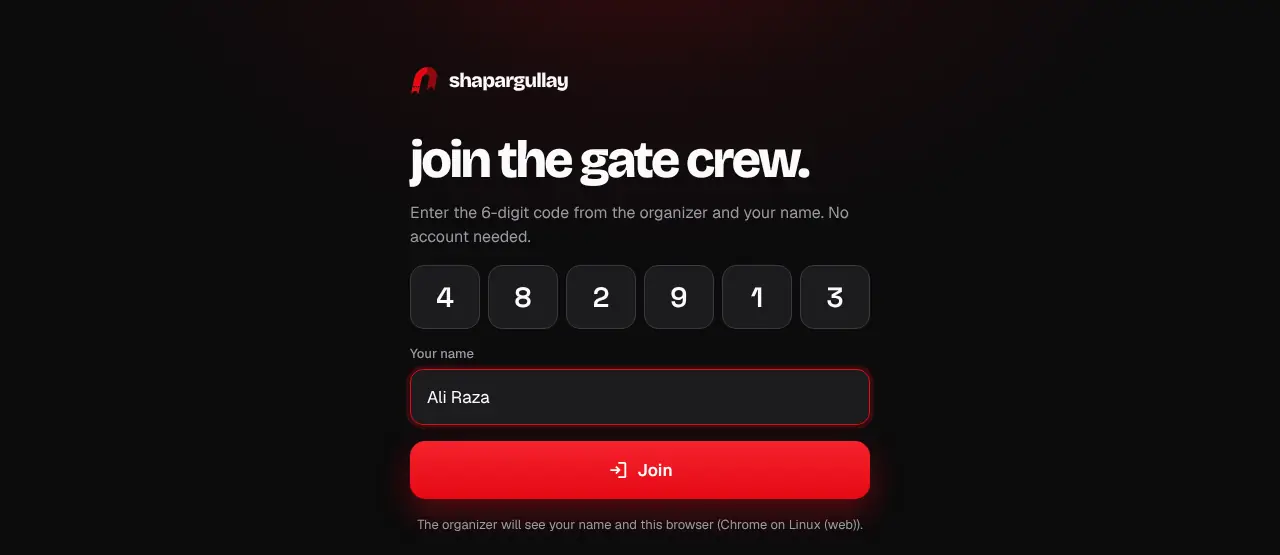
- Each code works once and unused codes expire after 7 days. You can have up to 10 unused codes.
- Need a bigger crew than your limit? Tap Ask support to raise my limit: it opens WhatsApp with the message written for you.
- The browser scanner can’t read tap-to-enter (NFC) tickets; guests show their QR instead, or use the Android Scanner app.
- Scanning works on the event day, until 6 hours after it ends.
- No signal at the gate? Scanner phones keep an offline pack and sync later: see “Keep scanning when the internet drops”.
Was this helpful?
related
qr_code_scannerScan tickets in a browser (/scan)Use a laptop or tablet at the gate: open /scan, then approve the browser in the Organizer app.qr_code_scannerCheck guests in by hand at the help deskFind a ticket by name, phone or order number and check the guest in without a QR.qr_code_scannerKeep scanning when the internet dropsScanner phones keep an offline pack of your tickets. With no signal they check tickets against it, and send everything when the connection is back.
Still stuck?
didn’t find what you need?
smart_toyAsk ShappyOur assistant answers straight away, with live dates, prices and your orders.chatOpen the chat
support_agentContact supportTalk to a person. We reply within one working day. WhatsApp takes messages (not calls), and each chat gets a support reference.