check guests in by hand at the help desk
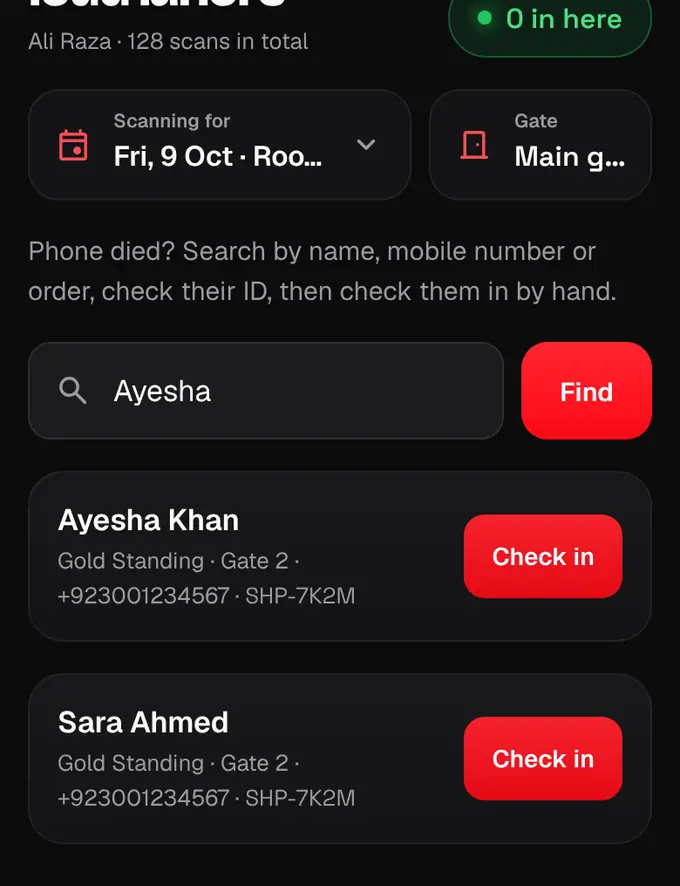
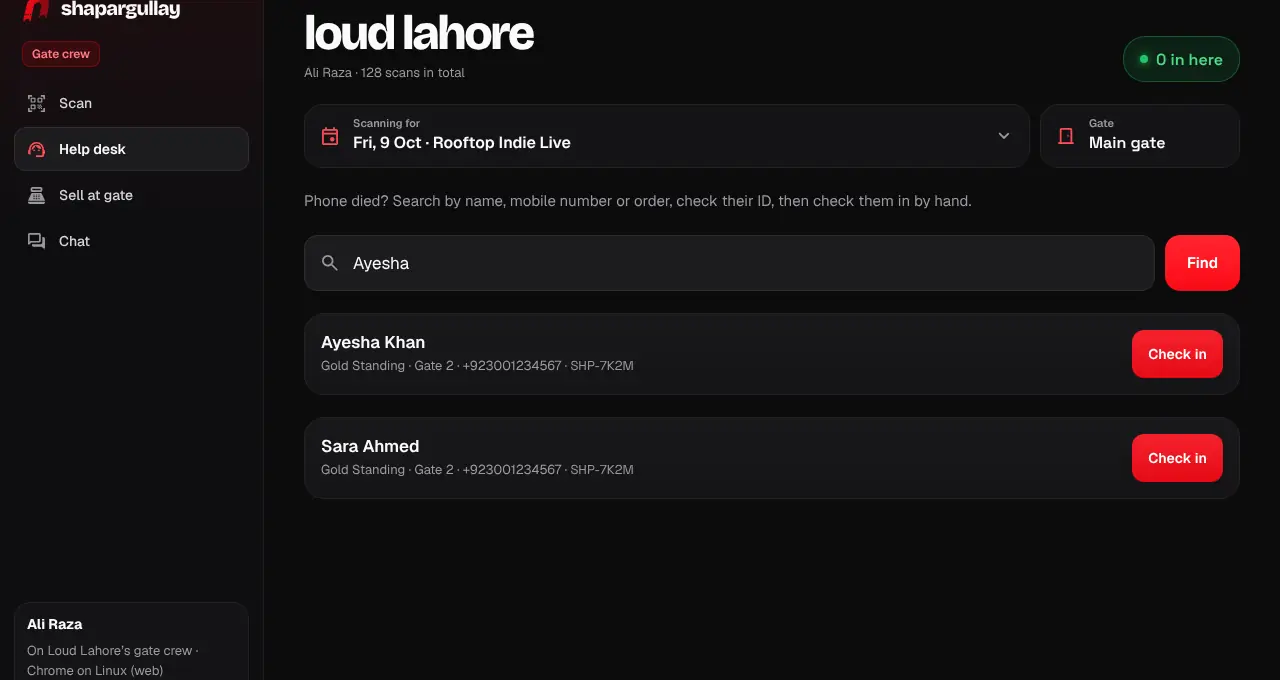
Find a ticket by name, phone or order number and check the guest in without a QR.
- 1
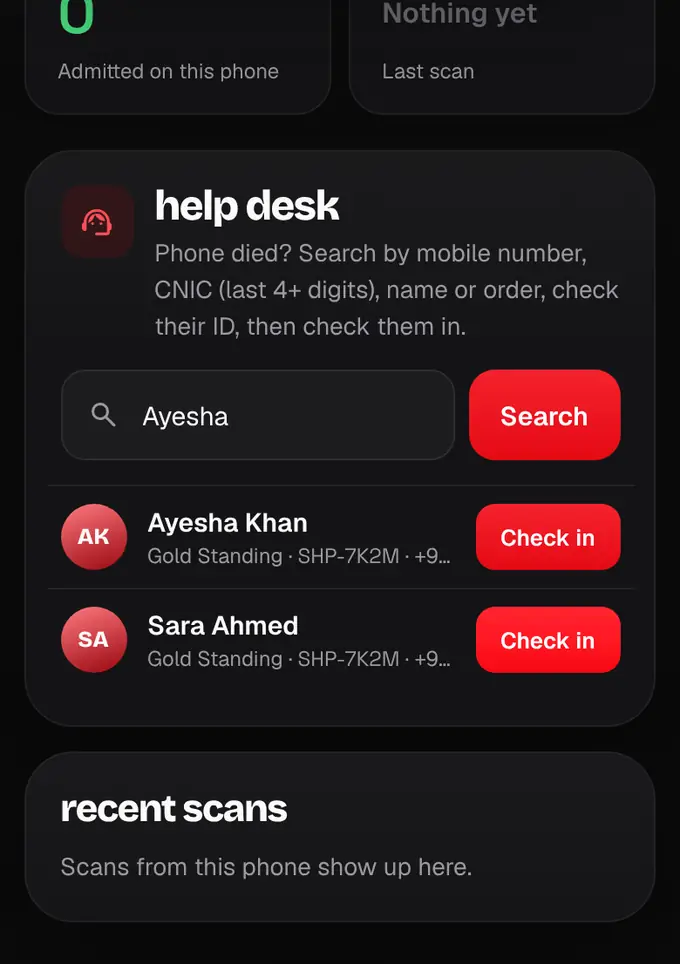
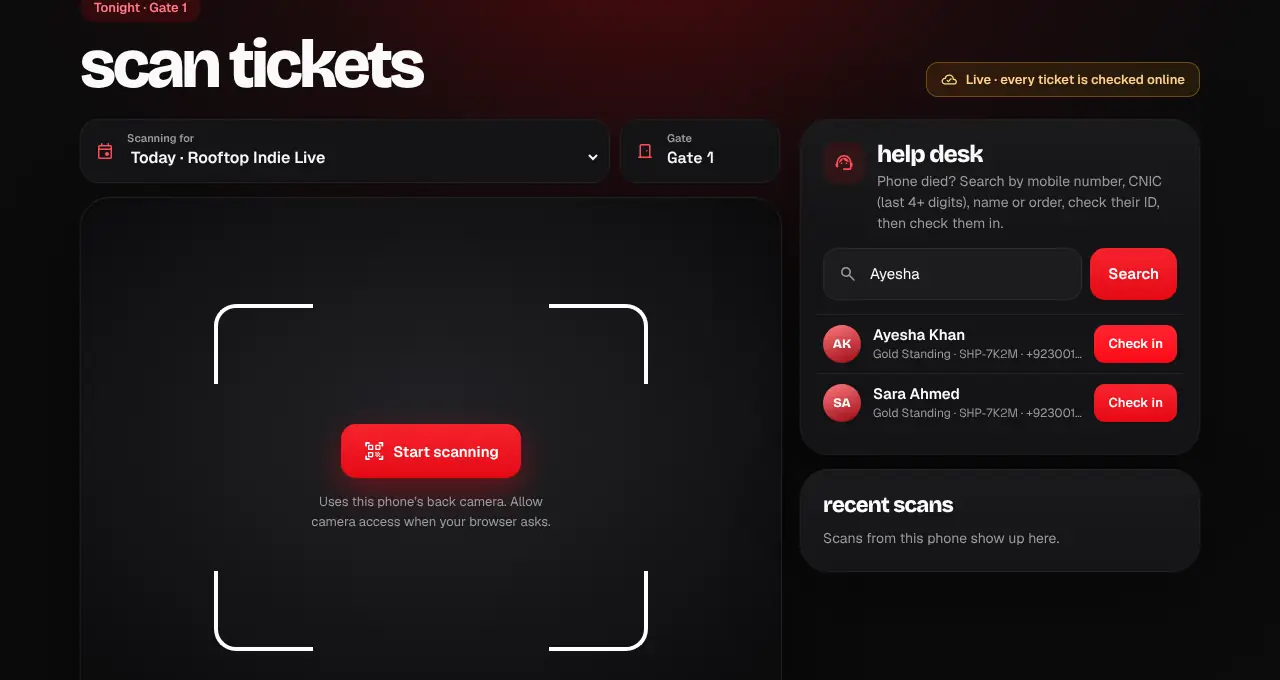
Crew with a code: open the Help desk tab at shapargullay.com/scanner (or in the Scanner app). On the signed-in scanner page (/scan), scroll to help desk.
- 2
Type the guest’s name, mobile number or order number and tap Find (Search on /scan).
- 3
Check it’s the right person, then tap Check in on their ticket. It’s marked as used, exactly like a scan.
- Ask for ID if you’re not sure it’s them.
- A ticket that’s already used can’t be checked in again.
- A blocked ticket shows “Do not admit”: send the guest to the organizer.
- An “enter together” pass can’t be checked in one person at a time: the help desk offers “Check in all 4”. Only tap it when every one of them is in front of you.
- Organizers can also let someone in from the Database: see “Let someone in by hand”.
Was this helpful?
related
qr_code_scannerScan tickets in a browser (/scan)Use a laptop or tablet at the gate: open /scan, then approve the browser in the Organizer app.qr_code_scannerMy phone died at the gateThe help desk can find your ticket by your name or phone number and check you in.storefrontLet someone in by handCheck a guest in from the Database when their QR won’t work, with a reason.qr_code_scannerScan an “enter together” groupScan everyone on a couple or family pass; nobody goes in until all of them are scanned.
Still stuck?
didn’t find what you need?
smart_toyAsk ShappyOur assistant answers straight away, with live dates, prices and your orders.chatOpen the chat
support_agentContact supportTalk to a person. We reply within one working day. WhatsApp takes messages (not calls), and each chat gets a support reference.