find events
Search by name, venue or organizer, and narrow it down with quick filters.
- 1
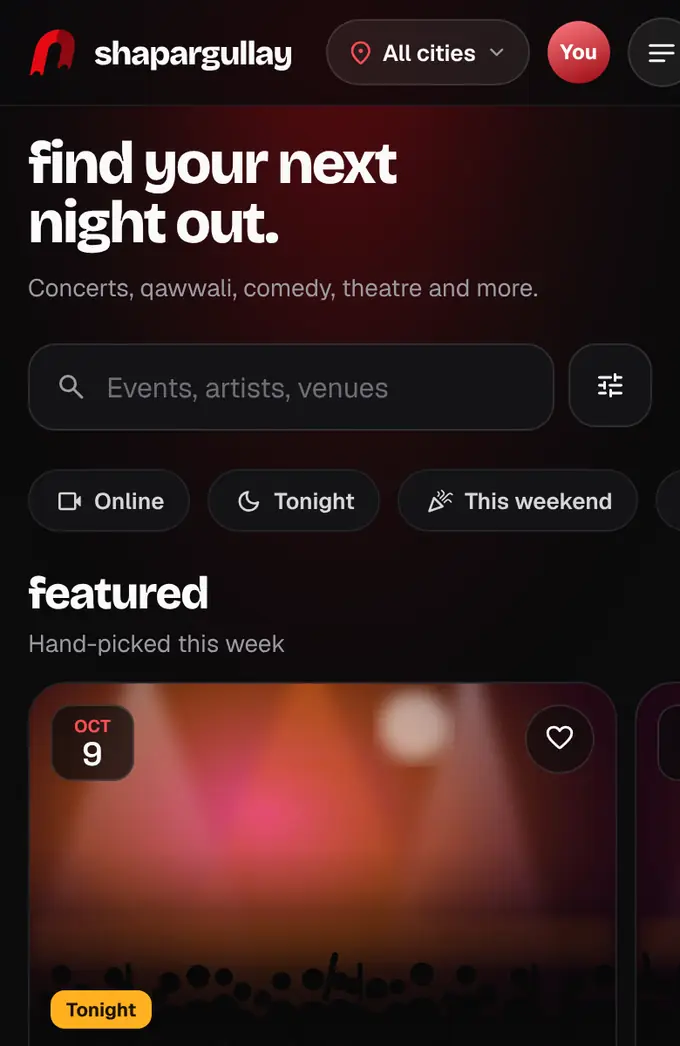
Open shapargullay.com. Type an event, venue or organizer into the search box at the top.
- 2
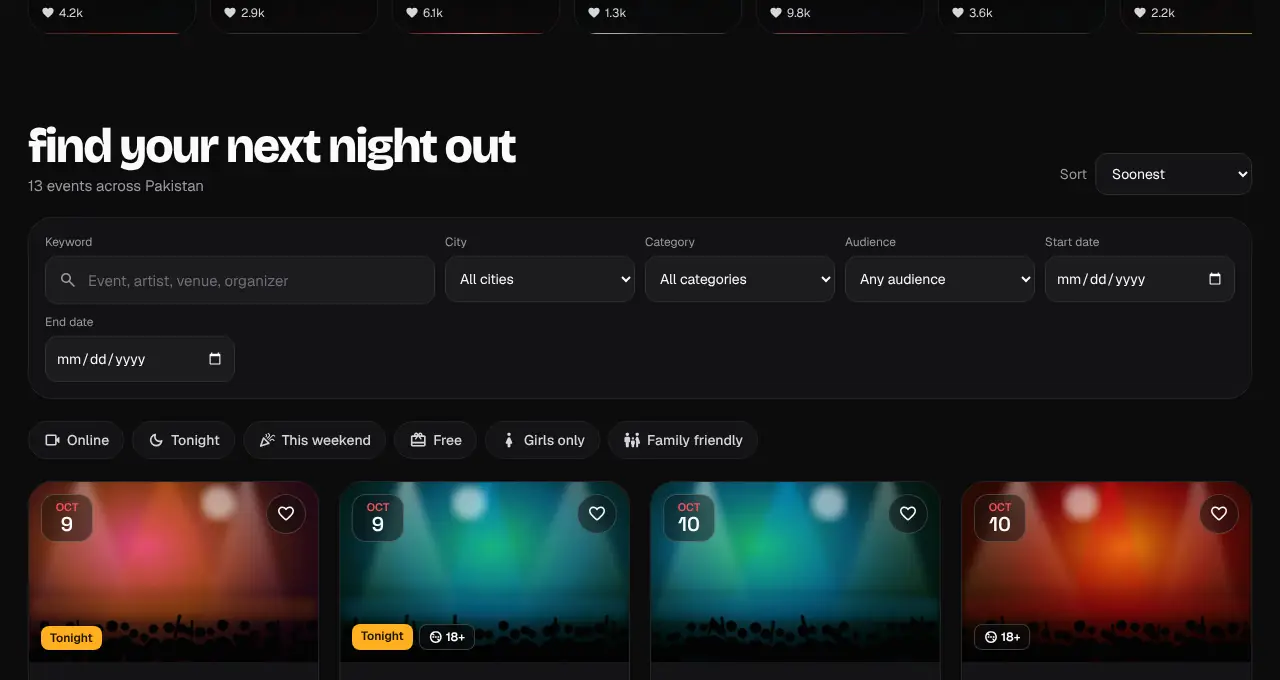
Tap a quick filter to narrow the list: Online, Tonight, This weekend, Free, Girls only or Family friendly. The filters button next to the search box adds categories, audience and dates.
- 3
Tap any event card to see its dates, prices, venue and entry rules. Tap the heart to save it for later; saved events are under Saved (on a phone: the heart at the top of the screen, or Saved in the menu).
- Badges like “Few left” and “Selling fast” are worked out from real sales, never typed in by the organizer.
- “Featured” events are promoted by their organizer (they pay a little more per ticket sold) or picked by our team. They’re shown first in the home carousel and on city and category pages.
- Each event page has a Contact organizer button when the organizer has added their Instagram, WhatsApp channel or other links. For tickets and orders, contact our support.
Was this helpful?
related
confirmation_numberChoose your city or see events near youPick one of 13 big cities (or any other town that has events coming up), or let the site use your location to show events within 60 km.confirmation_numberWatch featured reelsShort videos from organizers, grouped by event. They play one after another: tap right for the next one, hold to pause, swipe up for the next event.confirmation_numberBuy ticketsPick your tickets, add a name for each person, and pay. Your seats are held for 10 minutes.confirmation_numberAsk Shappy, our assistantShappy answers questions about events, prices, tickets left and your orders.
Still stuck?
didn’t find what you need?
smart_toyAsk ShappyOur assistant answers straight away, with live dates, prices and your orders.chatOpen the chat
support_agentContact supportTalk to a person. We reply within one working day. WhatsApp takes messages (not calls), and each chat gets a support reference.