buy tickets
Pick your tickets, add a name for each person, and pay. Your seats are held for 10 minutes.
- 1
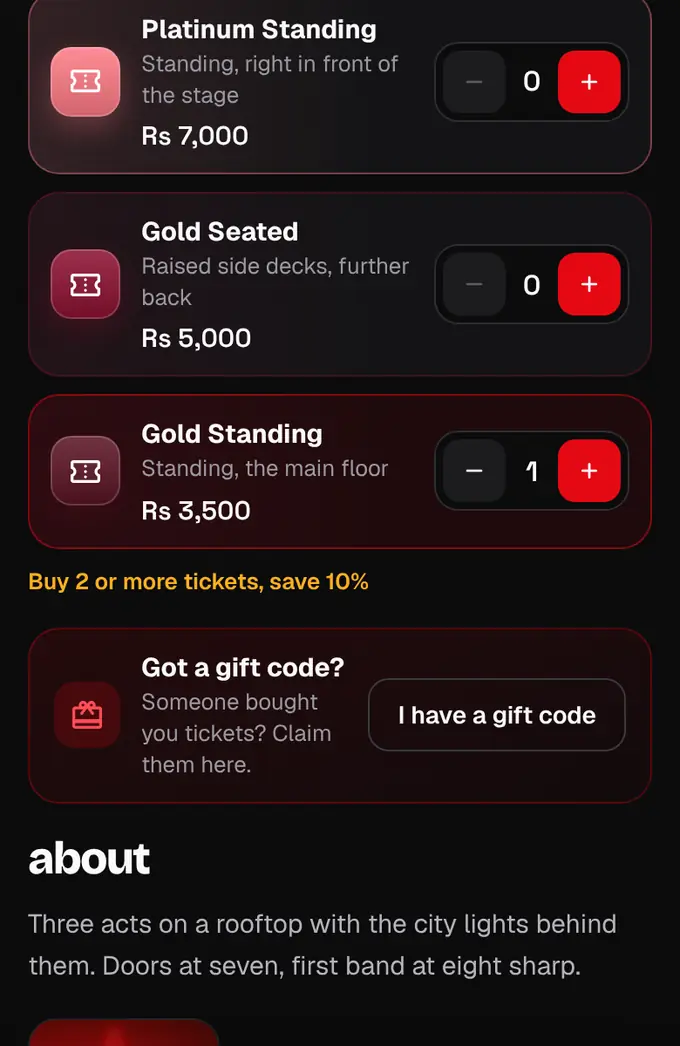
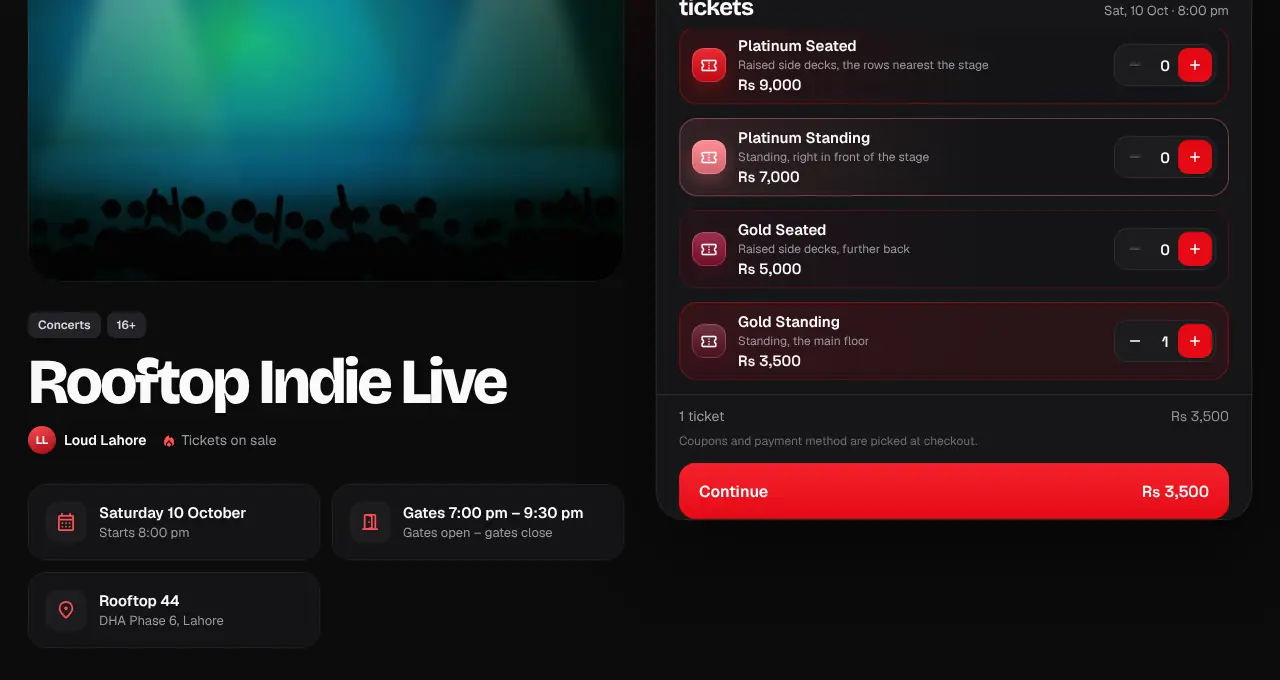
Open the event and pick a date if it has more than one. Tap + next to each ticket type you want. If the event has a stage map, each ticket is an area on it, in the same colour: tap an area to find its ticket.
- 2
Tap Continue. If you aren’t logged in, log in or create a free account first: checkout needs one so your tickets are saved to it.
- 3
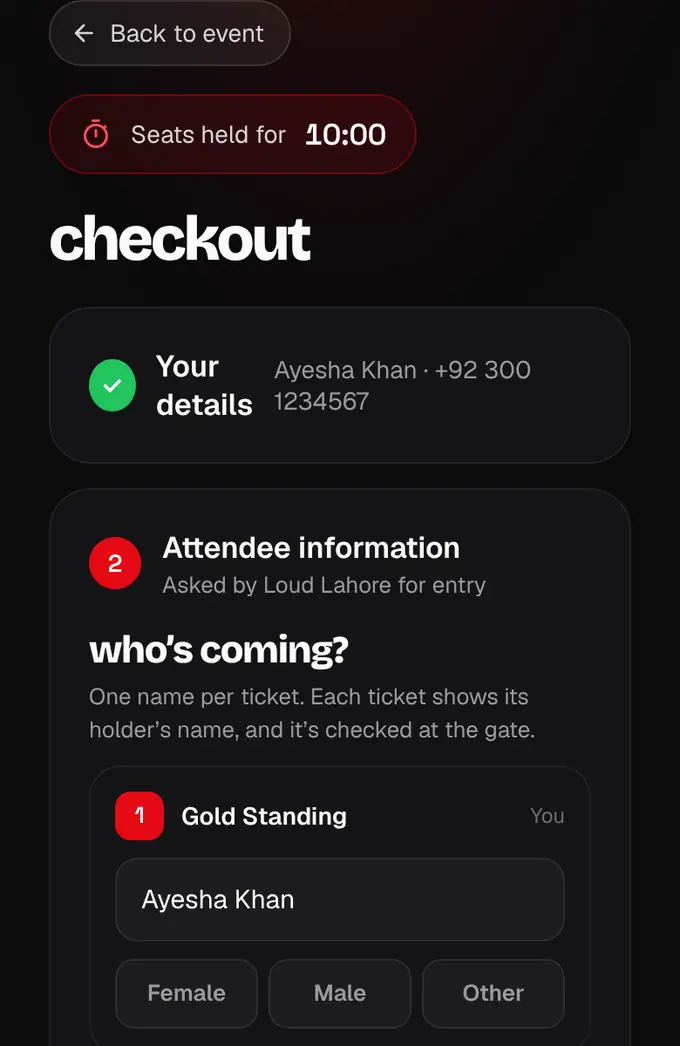
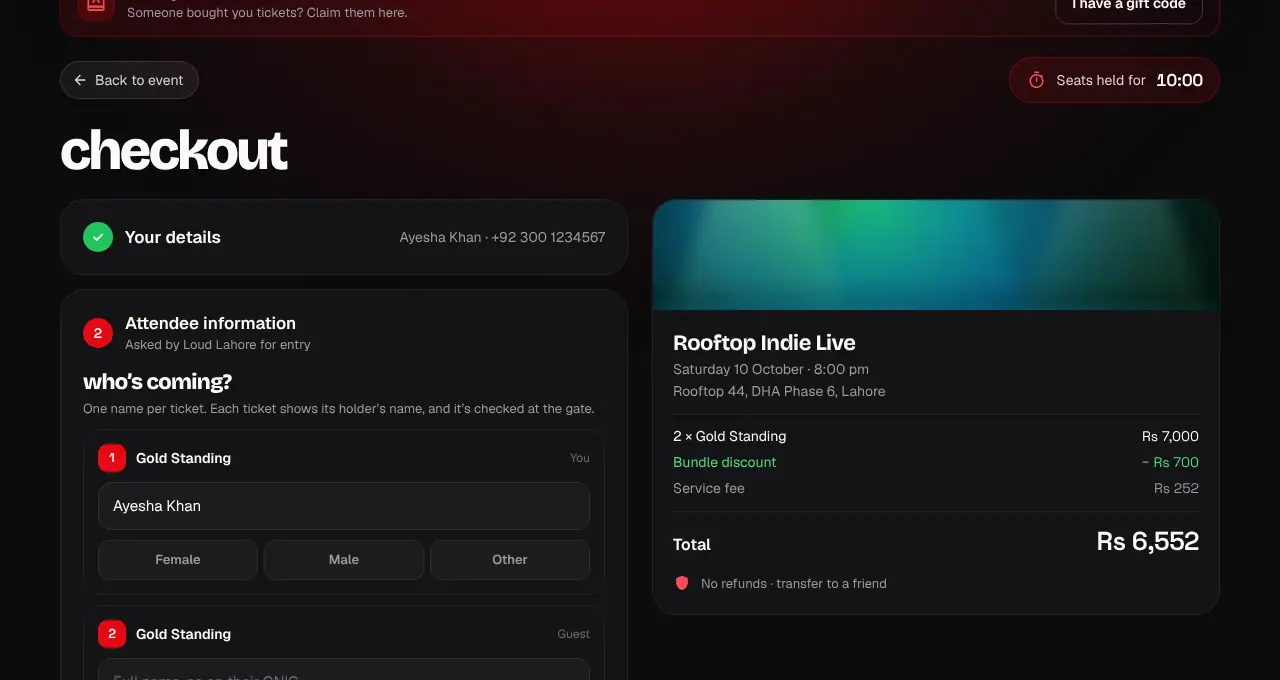
Your seats are now held for 10 minutes; the timer is at the top. Add the name of the person each ticket is for. If the organizer asks, also pick each person’s gender (Female, Male or Other). Names are shown on the tickets and checked at the gate.
- 4
Tap Continue to payment. You see only the ways to pay this event takes: credit and debit cards (Visa, Mastercard, UnionPay, local PayPak debit), bank account, Raast, and JazzCash and Easypaisa wallets through PayFast, as the event allows. You can enter a coupon code if you have one. The summary shows any group discount and a separate Service fee line (4% of the tickets) before you pay.
- 5
Tick that you agree to the event terms and tap Pay. The payment partner’s secure page opens (Safepay for cards): enter your details and finish your bank’s or wallet’s check (a code by SMS or in your app). We never see your card number.
- 6
You come back to shapargullay while we confirm the payment, usually in a few seconds. Your tickets then appear in My tickets and we email them to you as a PDF. If you cancel on the payment page, tap Try again while your 10 minutes last.
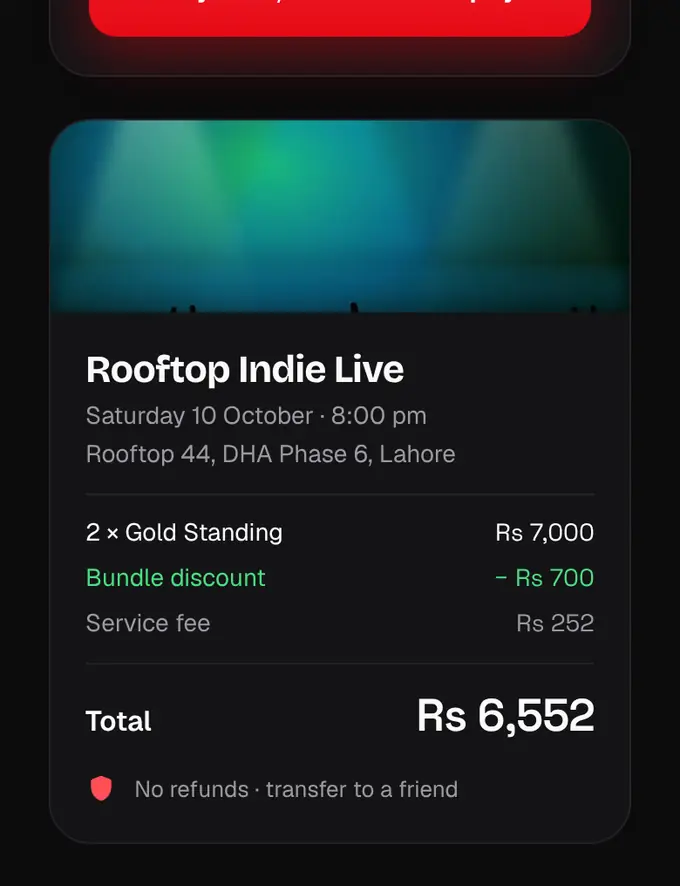
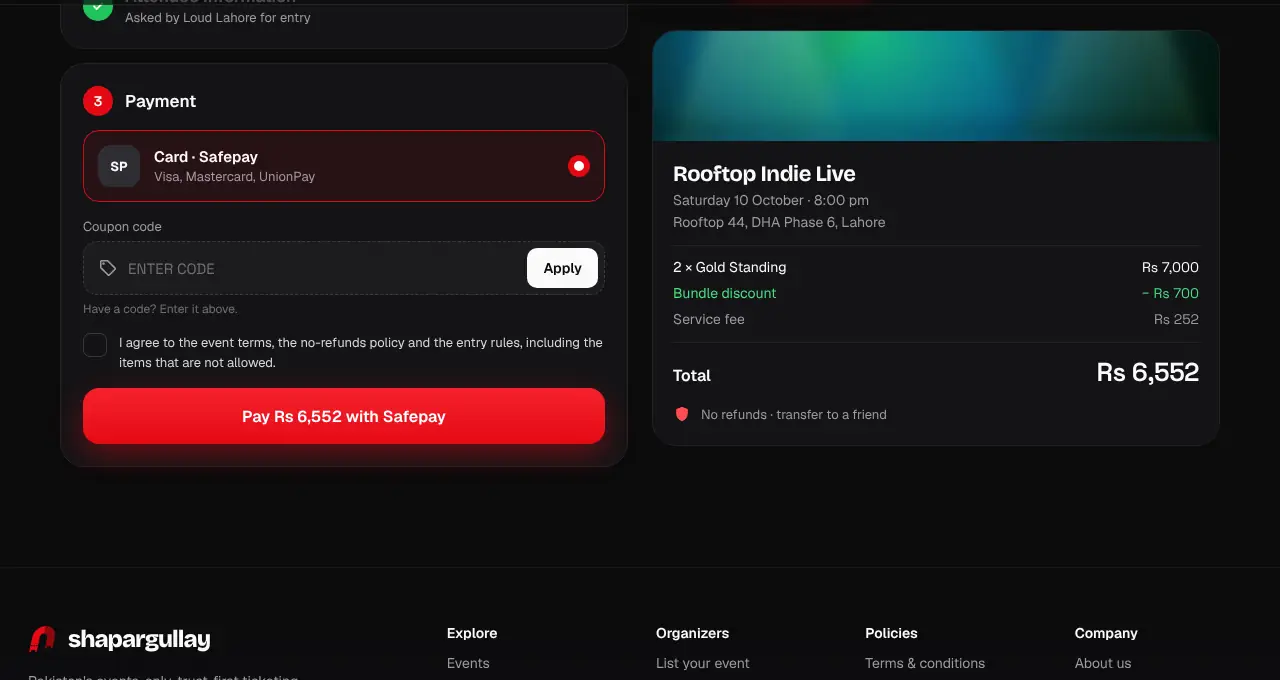
- Buying several tickets together? Many events give a group discount automatically.
- If the 10-minute timer runs out, start the hold again from the same page.
- You can buy up to 8 tickets in one order and up to 10 per person for an event across all your orders (some events set a lower limit). A group pass counts as one.
- We don’t offer refunds, so check the date, venue and entry rules before you pay.
- Online sales close when the event starts, or earlier if the organizer chose a cut-off: the event page then says “Online sales close Sat 17 Oct, 5:00 pm”. After that the date shows “Online sales closed” (official partner tickets close 24 hours before).
- Some events sell at the gate: the event page says “Tickets also on sale at the gate until 11:00 pm”. After the start you can still buy on shapargullay until then (buy on your phone and show your QR). If you reach the venue before that time with a ticket bought then, the organizer is responsible for letting you in.
- Home and search show only events you can still buy. Tap Sold out, Sales closed or Past events above the list to see the others.