get your event featured
An optional boost: the home page carousel, a Featured chip, first place on city and category pages and an Instagram collab. 6% instead of 4% on tickets sold while featured.
- 1
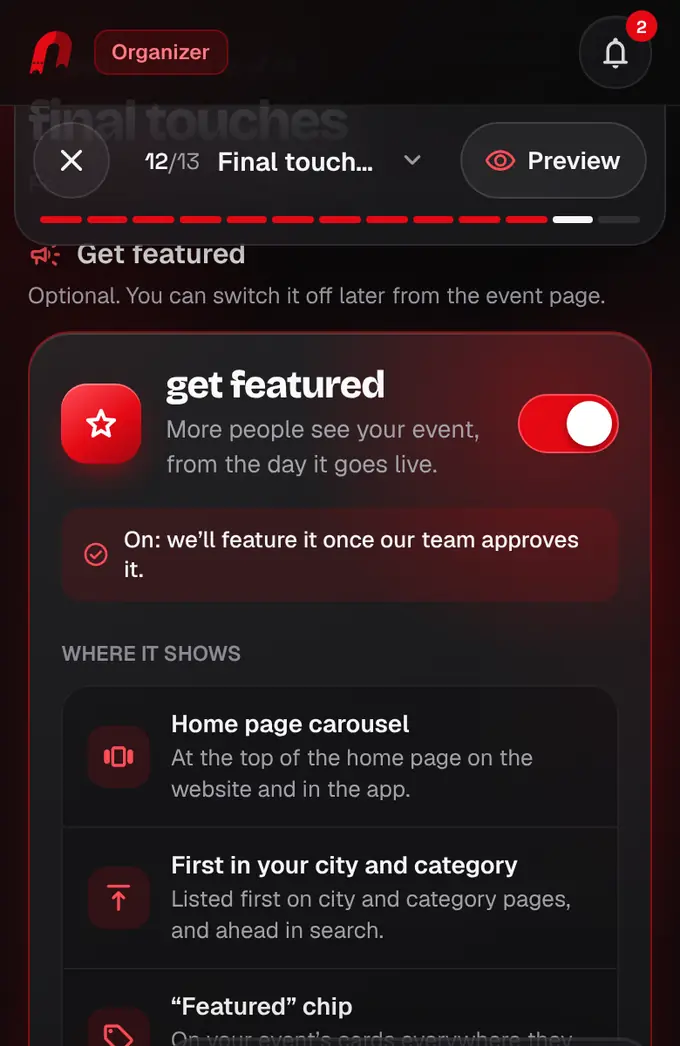
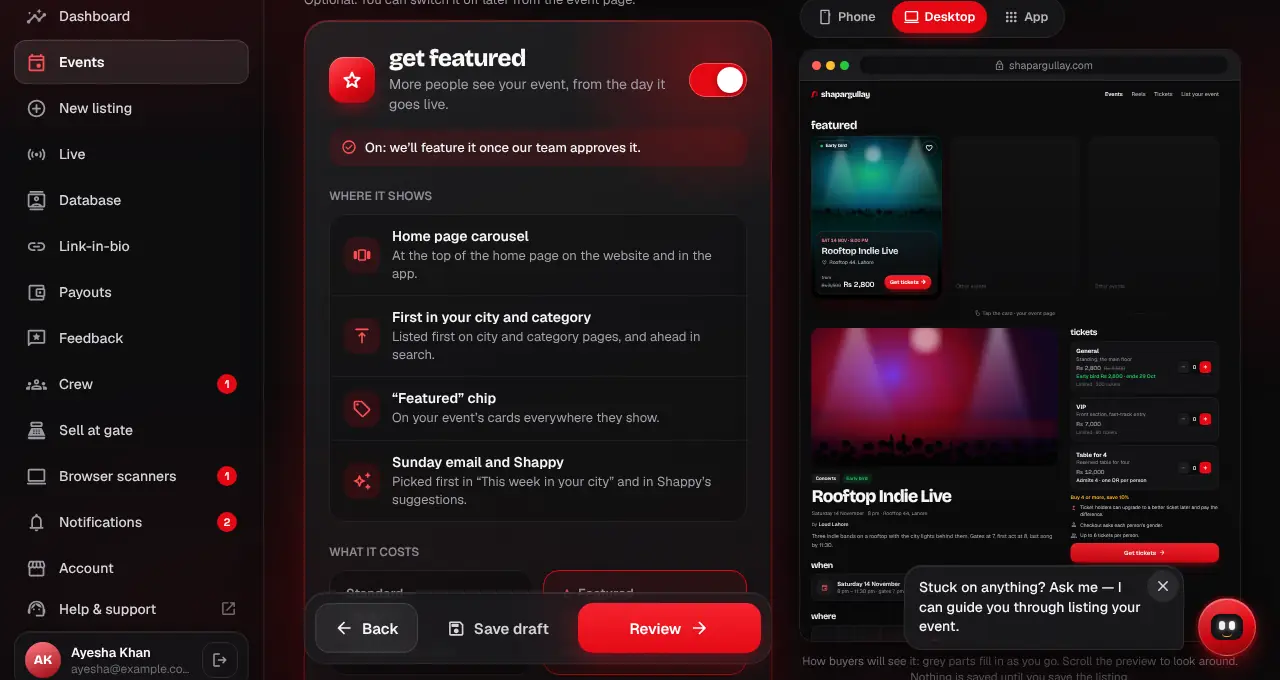
In the listing editor (the Final touches step at shapargullay.com/organizer/listing, or the Organizer app), switch on Get featured. You see exactly what you get and the fee before you choose.
- 2
What featuring does: a spot in the Featured carousel at the top of the home page (website and app), a “Featured” chip on your event cards, first place on city and category pages and ahead of equal matches in search, priority in the Sunday “This week in your city” email, and Shappy suggests it first. Plus an Instagram collaboration: one post shared on your account and @shapargullay, and a dedicated story from us (we’ll message you to set it up).
- 3
The cost: our fee is 6% instead of 4% on tickets sold while your listing is featured. Tickets sold before or after keep 4%, and each order keeps the rate it was sold at. Your event page shows the rate, and so does Payouts under “fee per event”.
- 4
Our team approves featuring with the listing review. For a listing that’s already live, switch it on from the event page (Get featured) and we approve it, usually within a day; until then the fee stays 4%.
- 5
To stop, switch it off on the event page. Tickets sold after that are back to 4% straight away. Featuring also ends when the event ends or is cancelled.
- When more events are featured than there are spots in the carousel, they take turns: the order changes every day so everyone gets seen.
- Free events can’t buy featuring (there’s no ticket fee to add to). Our team sometimes features events on its own; then your fee doesn’t change.
- Featuring makes your event easier to find. It doesn’t guarantee sales.