shapargullayHelp
Browse eventssupport_agentSupport

list an online event

Paste your own meeting link and choose how the Join button works.

  1. 1

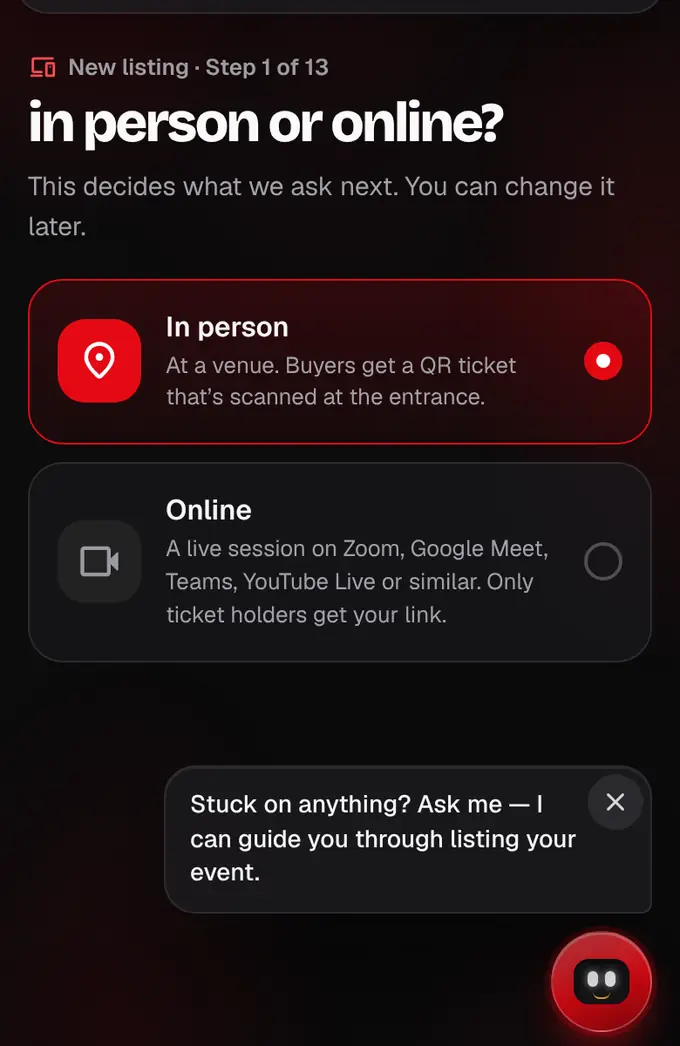
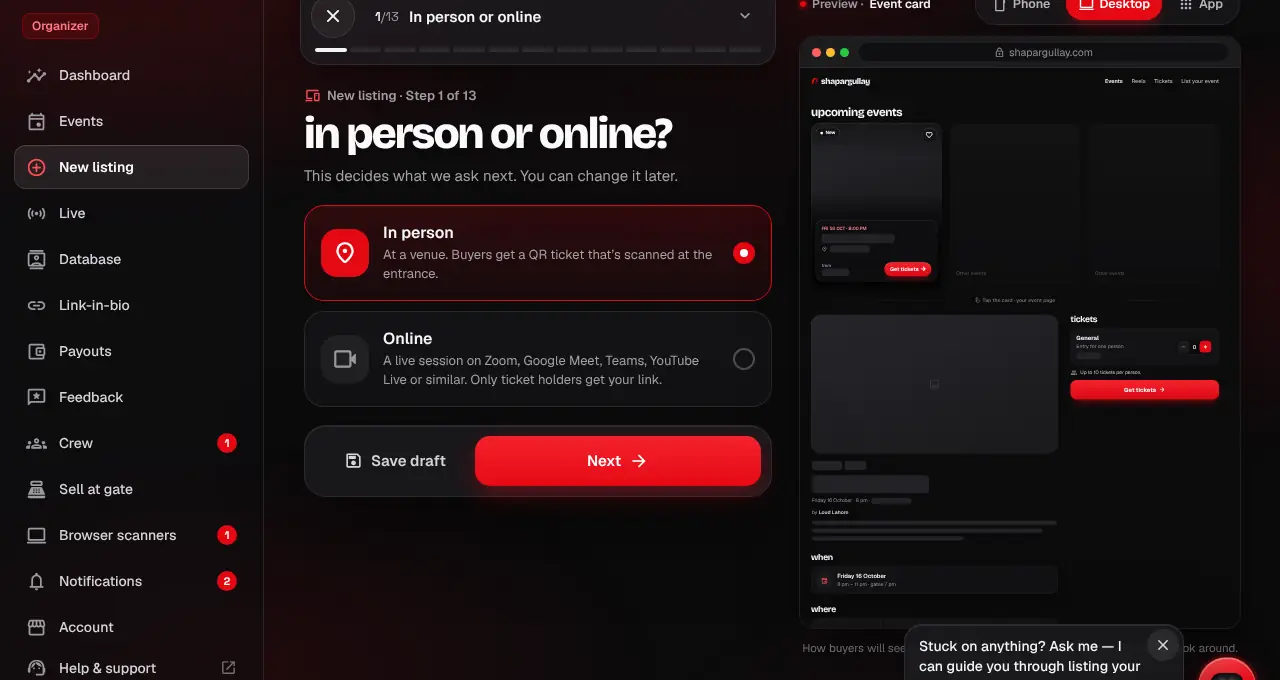
    Open the listing editor at shapargullay.com/organizer/listing and choose Online on the first step. The Where step becomes The meeting; venue and seating are skipped.

    In person or online at the top of the listing editor
    In person or online at the top of the listing editor
  2. 2

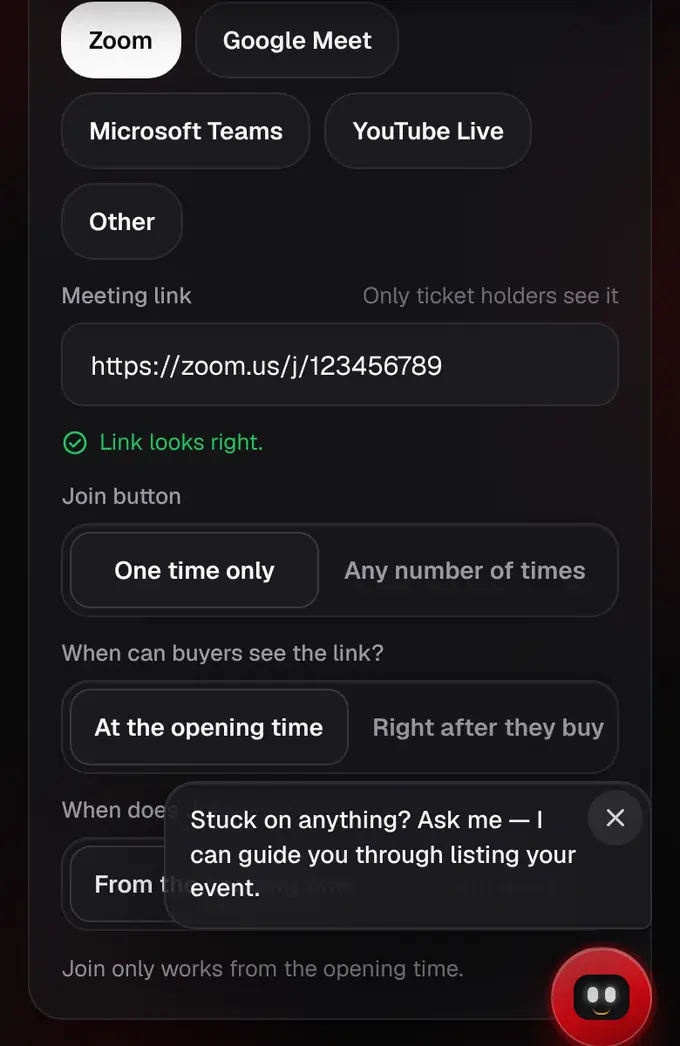
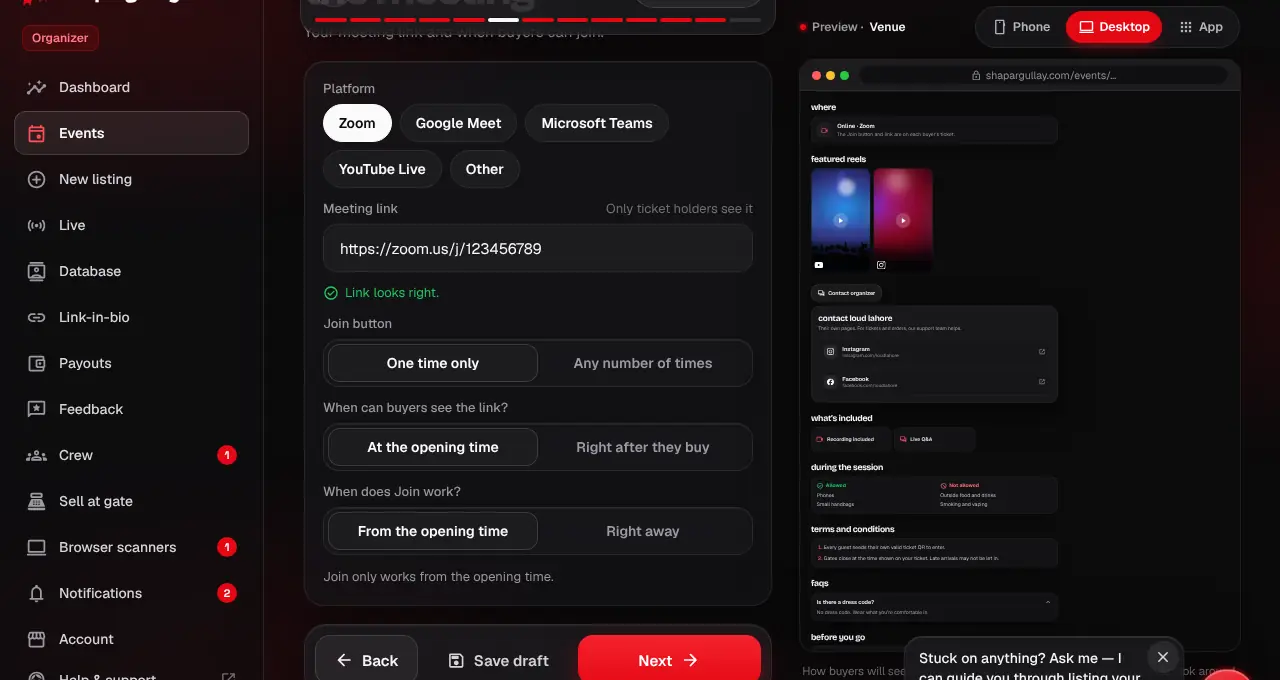
    Pick the platform and paste your meeting link (it must start with https://). Only ticket holders ever get it.

    The meeting link and the Join button choice
    The meeting link and the Join button choice
  3. 3

    Make three choices: does the Join button work one time only or any number of times; can buyers see the link at the opening time or right after they buy; and does Join work from the opening time or right away.

  4. 4

    Under When, the opening time is when the link opens. What’s included, the terms, allowed and not allowed, and the FAQ questions switch to online ones (Recording included, Live Q&A, “What do I need to join?”…). Finish the other steps and submit for review on the last one.
lightbulbGood to know
  • Turn on the waiting room or a passcode in your meeting as well.
  • If buyers can see the link right after buying, they can copy it, so “one time only” limits the Join button, not the link.
  • Every ticket type is one person’s access.
Was this helpful?

related

videocamJoin an online eventYour ticket has a Join button. When it works, and how often, is set by the organizer.storefrontList an in-person eventThe listing editor goes one step at a time: fill in each screen, tap Next, check the live preview, then review and submit.storefrontHow listing review worksA person checks every listing before it goes live, usually within 24 hours.
Still stuck?

didn’t find what you need?

smart_toyAsk ShappyOur assistant answers straight away, with live dates, prices and your orders.chatOpen the chat
support_agentContact supportTalk to a person. We reply within one working day. WhatsApp takes messages (not calls), and each chat gets a support reference.mailMessage uschatWhatsAppalternate_emailsupport@shapargullay.com