join an online event
Your ticket has a Join button. When it works, and how often, is set by the organizer.
- 1
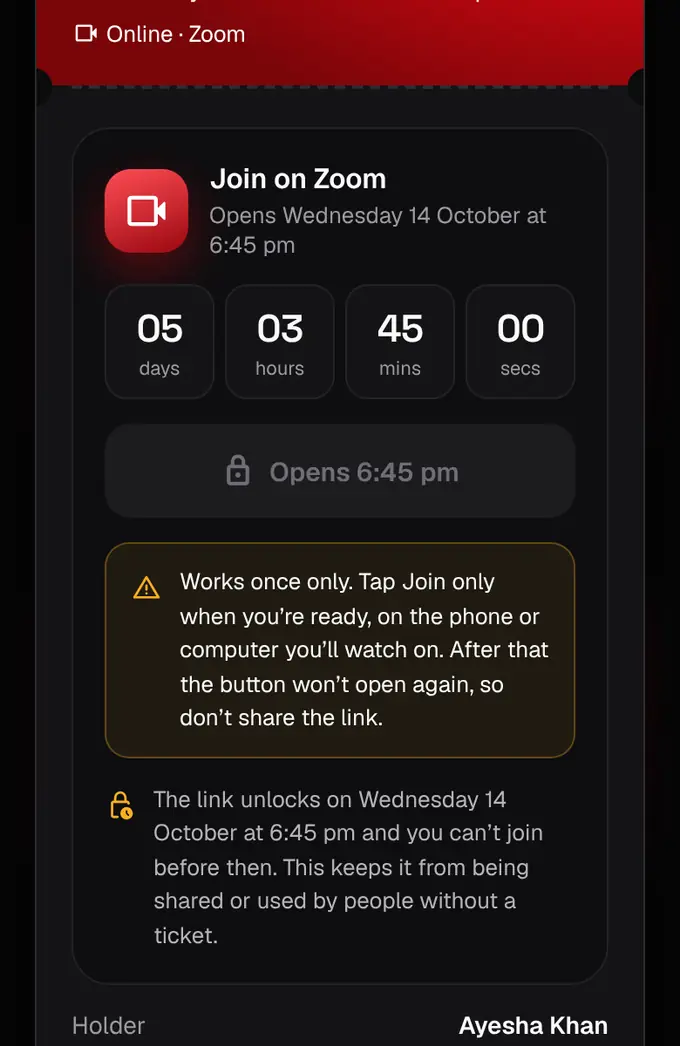
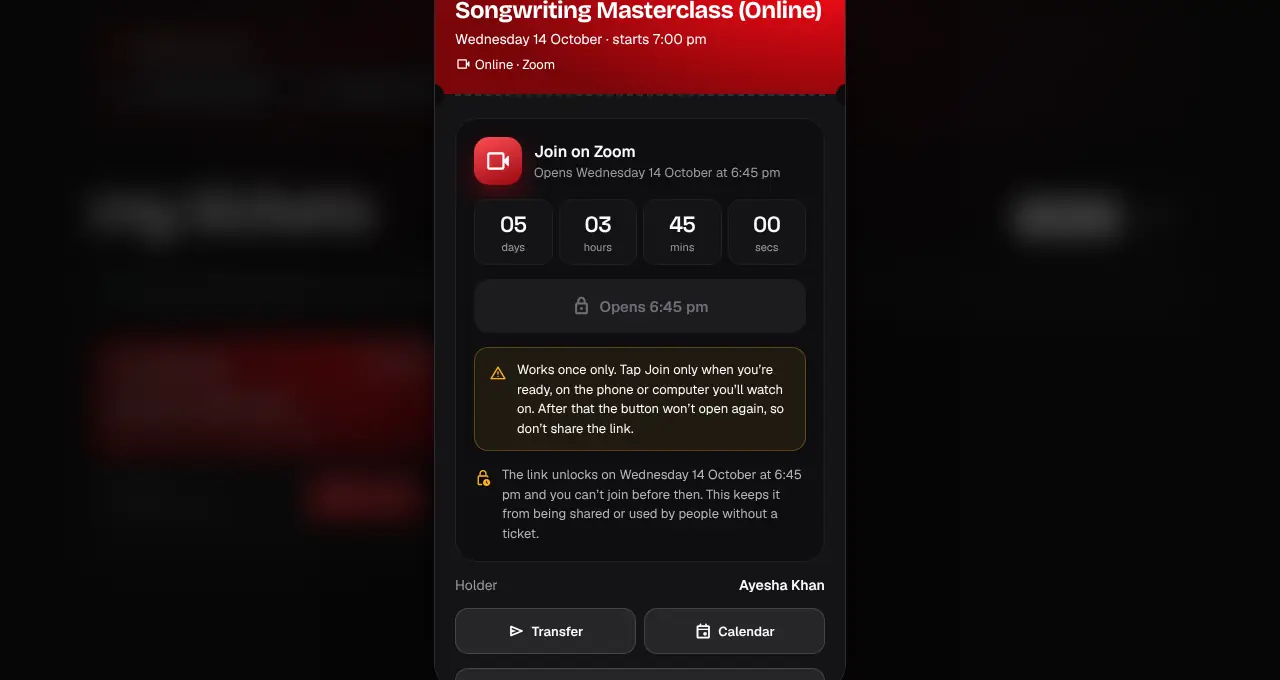
Open My tickets and tap Show QR on the online event. There is no QR: the ticket has a Join card instead.
- 2
Until the opening time, the Join button is locked and counts down to it. It says when it opens, for example “Opens 6:45 pm”.
- 3
When it unlocks, tap Join on the phone or computer you’ll watch on. The meeting opens in a new tab.
- 4
If the ticket says “one time only”, Join works once: you confirm first, and after that the button won’t open the link again. If the organizer allows repeat joins, you can rejoin until the event ends.
- Some organizers show the meeting link on the ticket right after you buy, and some let Join work straight away. The ticket always tells you which.
- Join closes when the event ends.
- Never share the link: it’s tied to your ticket.
Was this helpful?
related
confirmation_numberAdd an event to your calendarOne tap puts the event in your calendar so you don’t miss it.storefrontList an online eventPaste your own meeting link and choose how the Join button works.confirmation_numberFind your ticketsAll your tickets live in My tickets on the website and in the app.
Still stuck?
didn’t find what you need?
smart_toyAsk ShappyOur assistant answers straight away, with live dates, prices and your orders.chatOpen the chat
support_agentContact supportTalk to a person. We reply within one working day. WhatsApp takes messages (not calls), and each chat gets a support reference.