official partner tickets
Some events are sold through a partner. Our team gets your official ticket from them and puts it in My tickets as a PDF within 24 hours.
- 1
Buy as usual. The event page says the official ticket is sent within 24 hours. After paying, the order shows in My tickets as “Arriving within 24 h” with the line “Your official ticket will appear here within 24 hours”.
- 2
When our team has it, you get a notification and an email from tickets@shapargullay.com saying your ticket is ready. The order now says “Ticket ready”.
- 3
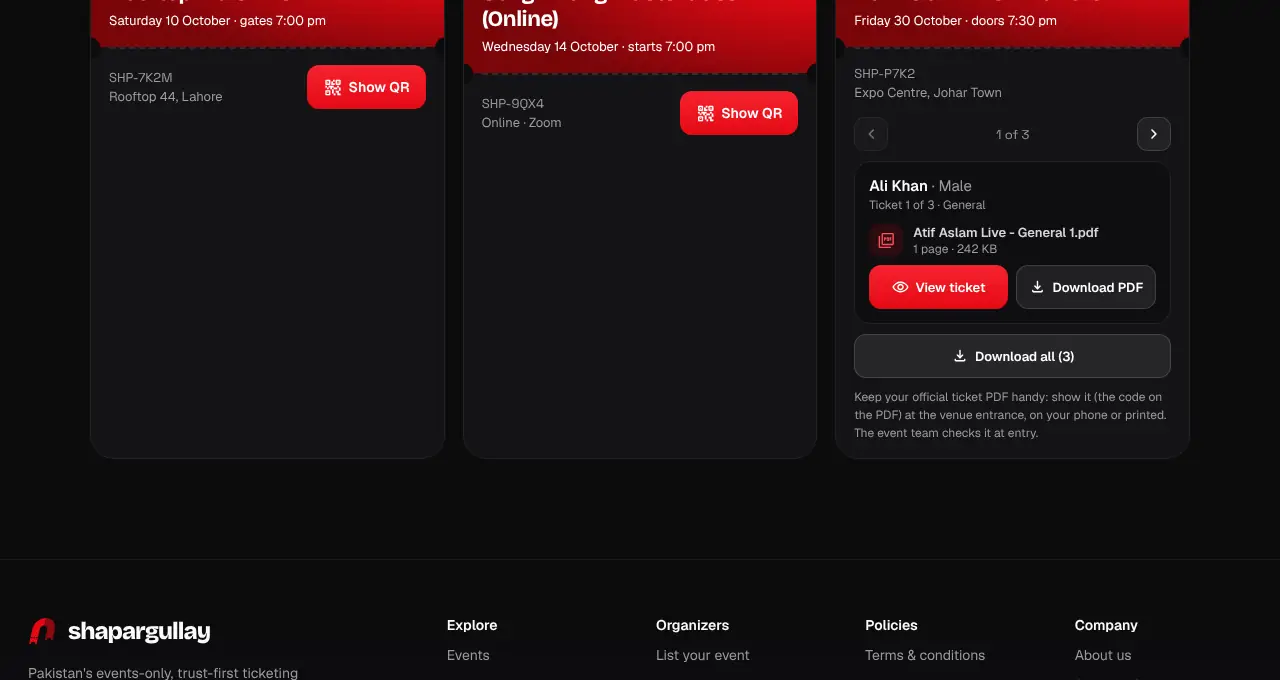
Open My tickets. A partner order has one card per person, with their name and ticket (for example “Ticket 2 of 4 · General” or “Table for 5 · person 2 of 5”): swipe or use the arrows to move between them.
- 4
Tap View ticket to open that person’s PDF (on the website it opens in a new tab; in the app it opens inside the app), and Download PDF to keep a copy. With several tickets, Download all saves them together. Until a person’s ticket is ready, their card says it will appear within 24 hours.
- 5
At the venue entrance, show your official ticket PDF (the code on it), on your phone or printed. The event team checks it at entry. Each person needs their own ticket. It’s the partner’s own ticket, so it looks different from ours.
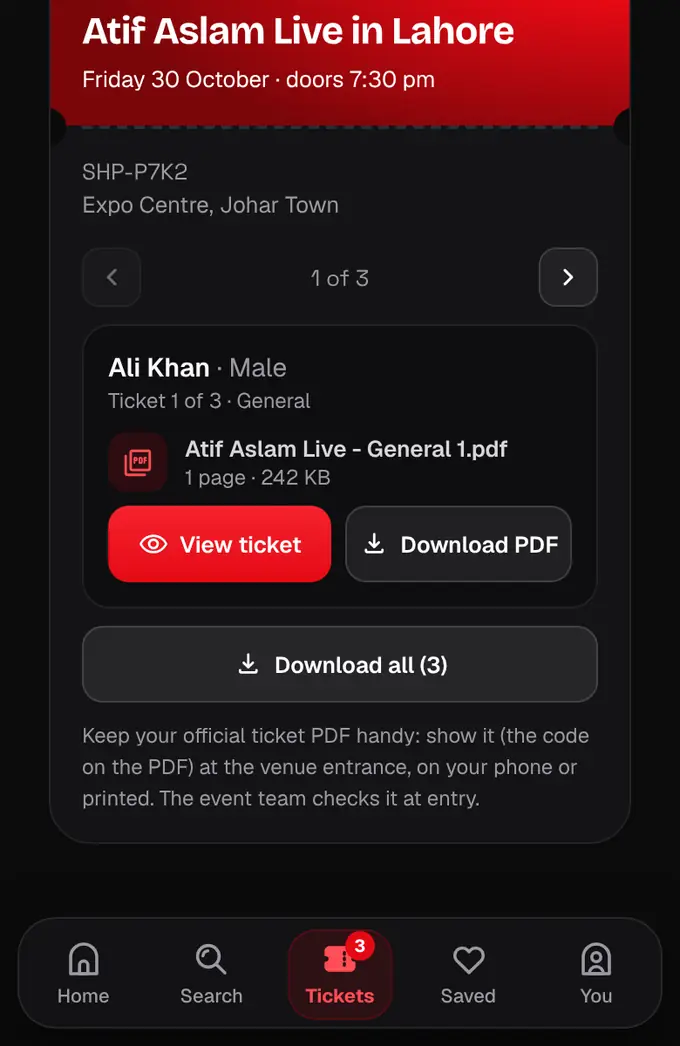
- The partner’s PDF is your ticket. We resell it and aren’t connected to the event’s organizer, so entry, re-entry and anything on the night are handled by the event’s own team.
- Because of that, a few of our extras aren’t available for partner tickets: Share my night, the event security line and safety reports to the organizer, transfers, gifts and upgrades. Emergency numbers (15, 1122 and your city’s) are still on the card in My tickets and on the event page on the day.
- Only you can open it, after logging in with the account you bought with. The view and download links work for a few minutes, so open it from My tickets each time.
- If we change the file (for example the partner reissues it), you get a message “Your ticket was updated”: use the newest one.
- Sometimes the partner sends the ticket to you directly; then My tickets says “Sent to you directly” and you should check your WhatsApp and email.
- Sometimes the partner sends one PDF with everyone’s tickets; then each card opens that same PDF.
- Partner tickets always sell at the listed price plus the 4% service fee: no final-hours deals, early bird, coupons, promoter codes or other discounts, and no “Tell me about deals” alerts.
- Partner tickets can’t be transferred, gifted, upgraded or refunded. Not there after 24 hours? Contact support with your order number.