get ready-to-post graphics for your event
Every listing has a promo pack: polished posts, a story, a Reel cover and WhatsApp graphics made from your banner.
- 1
Open shapargullay.com/organizer, go to Events and tap Promo pack under the event (or open the event and tap Promo pack). In the Organizer app, open the event and tap Promo pack: it opens in your phone’s browser.
- 2
Wait a few seconds while the graphics are drawn from your banner, title, dates and venue: three Instagram posts, an Instagram story, a Reel and TikTok cover, a square for WhatsApp and Facebook, a Facebook and X link image and a WhatsApp status.
- 3
Want the price on them? Turn on Show price (it’s off at first). It adds the price, “Free” for free events and any early-bird ticket, to the graphics and the captions.
- 4
Tap Download under a picture, or Download all for one zip. On a phone, tap the share button to send a picture straight to Instagram or WhatsApp.
- 5
Copy a caption (English or Roman Urdu, hashtags included) and paste it with your post.
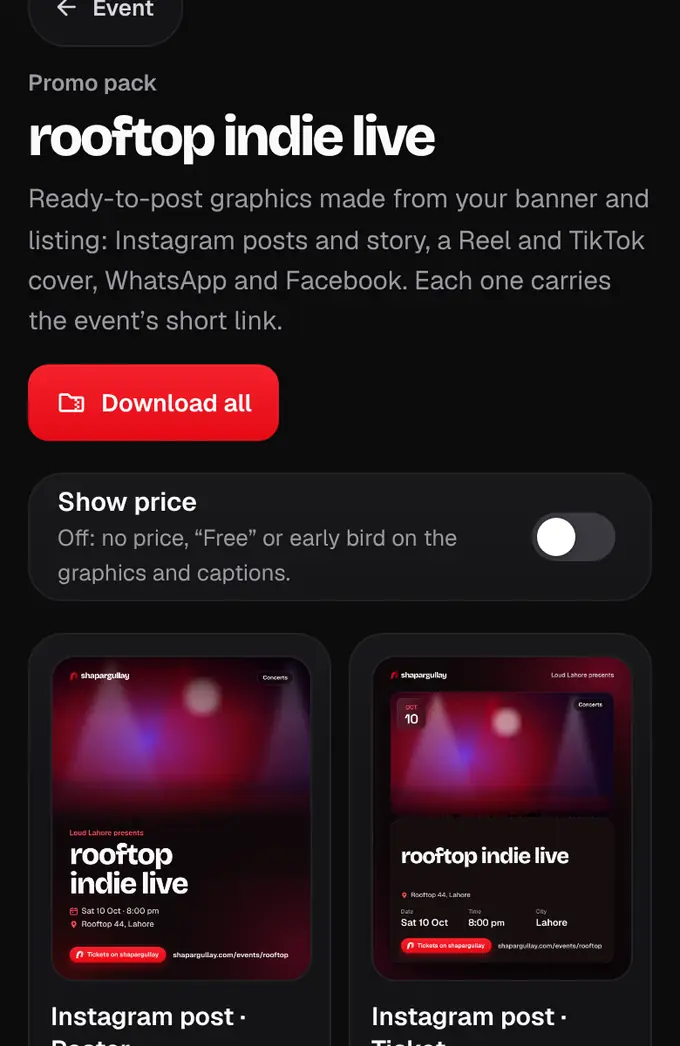
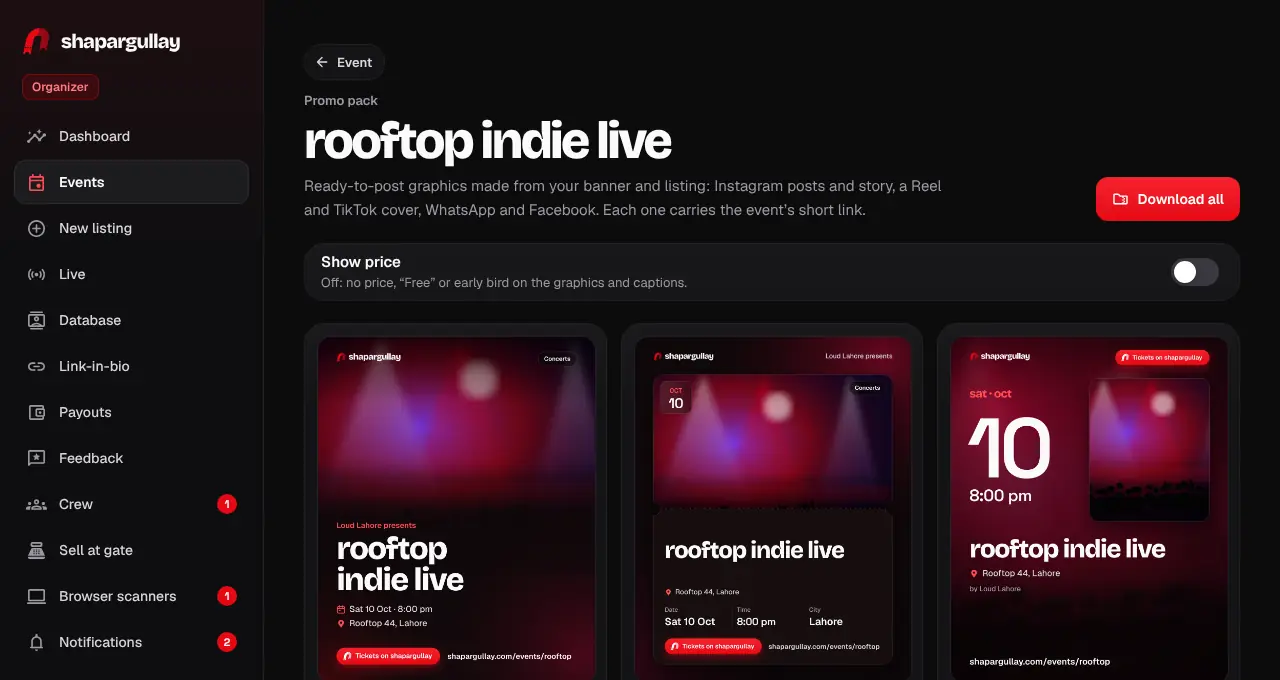
- Each graphic has your event’s short link (shapargullay.com/events/…). It only opens once our team approves the listing, so post after it goes live.
- Changed the banner, a date or prices? Open the pack again: it is always drawn from the listing as it is now.
- No banner yet? The pack uses our brand gradient. Add your banner to get graphics with your own photo.
- With Show price on, an “Early bird” ticket shows on the graphics while it’s cheaper than your other tickets.