your promoter earnings
Add your bank or wallet once. We send your commission every week, with the payment screenshot.
- 1
Open Bank on your promoter page (shapargullay.com/promoter/bank). Pick bank (IBAN), JazzCash or Easypaisa and enter the details in your name. The first time, they’re saved straight away.
- 2
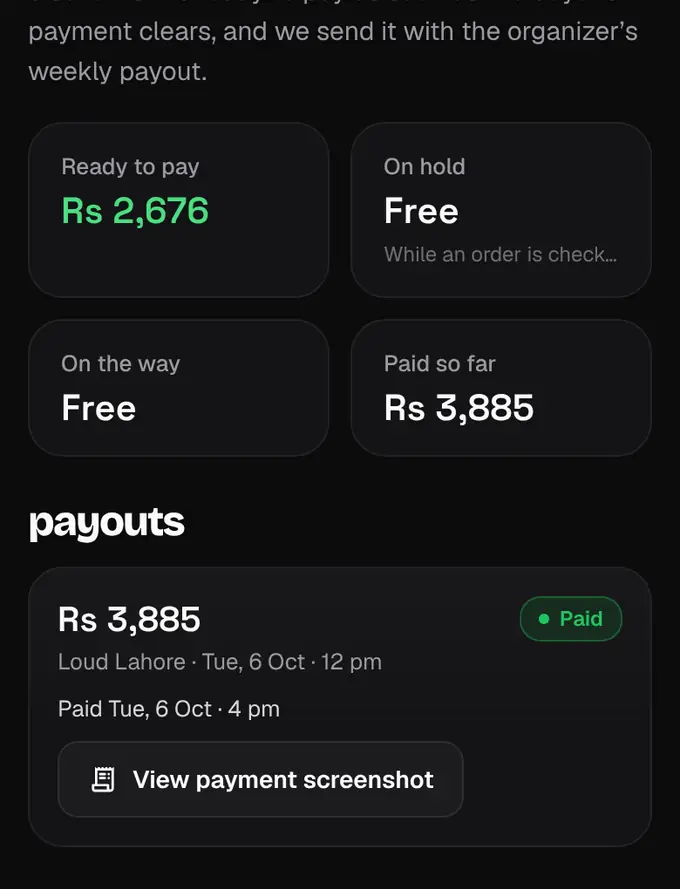
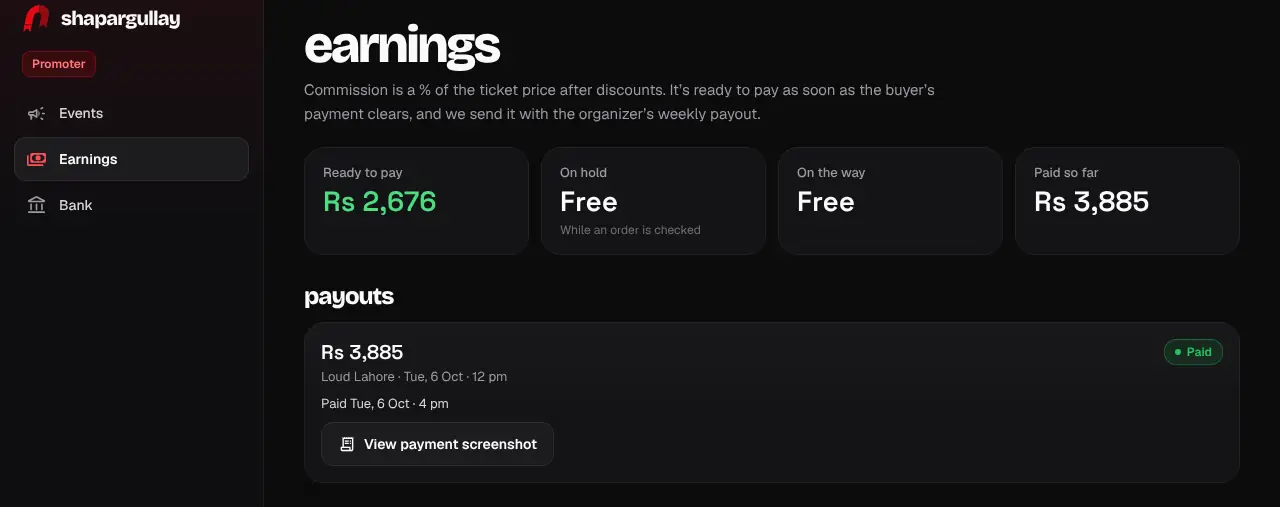
Open Earnings to see your money: Ready to pay, On hold (while an order is checked), On the way and Paid so far.
- 3
When our team starts the organizer’s weekly payout, your commission for their events is sent too. You get a notification when it’s paid; tap View payment screenshot to see the proof.
- 4
If a payout can’t be sent, you get a “Fix your bank details” notification. Correct them under Bank; it goes out with the next payout.
- To change your details later, tap Request a change: our team checks the new details first, and payouts keep going to the old ones until then.
- Commission on a voided order doesn’t count. If the event is cancelled, commission not yet paid is held until our team decides whether to release it.
- You’re responsible for any tax on your earnings.
Was this helpful?
related
Still stuck?
didn’t find what you need?
smart_toyAsk ShappyOur assistant answers straight away, with live dates, prices and your orders.chatOpen the chat
support_agentContact supportTalk to a person. We reply within one working day. WhatsApp takes messages (not calls), and each chat gets a support reference.