undo a change and see the history
Every manual change is listed, newest first, and one tap puts the tickets back.
- 1
Open your Database and scroll to History. Pick an event at the top to see only its changes.
- 2
Each row says what was done (let in, blocked, removed…), to how many tickets, the reason, who did it and when.
- 3
Tap Undo on a row. The tickets go back exactly as they were, and the holders are told.
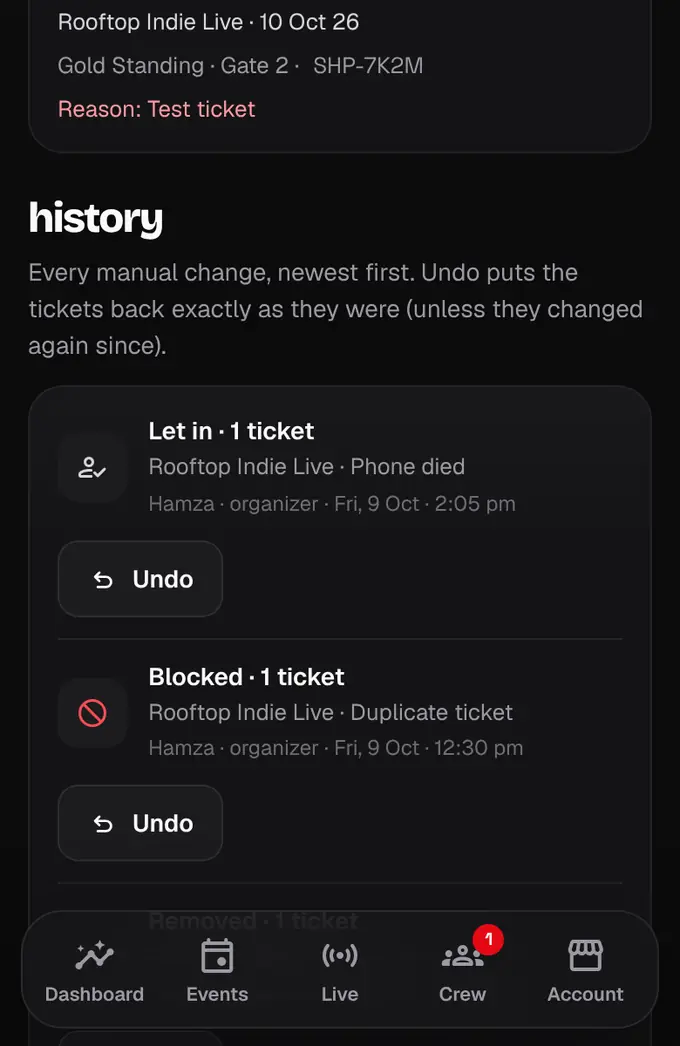
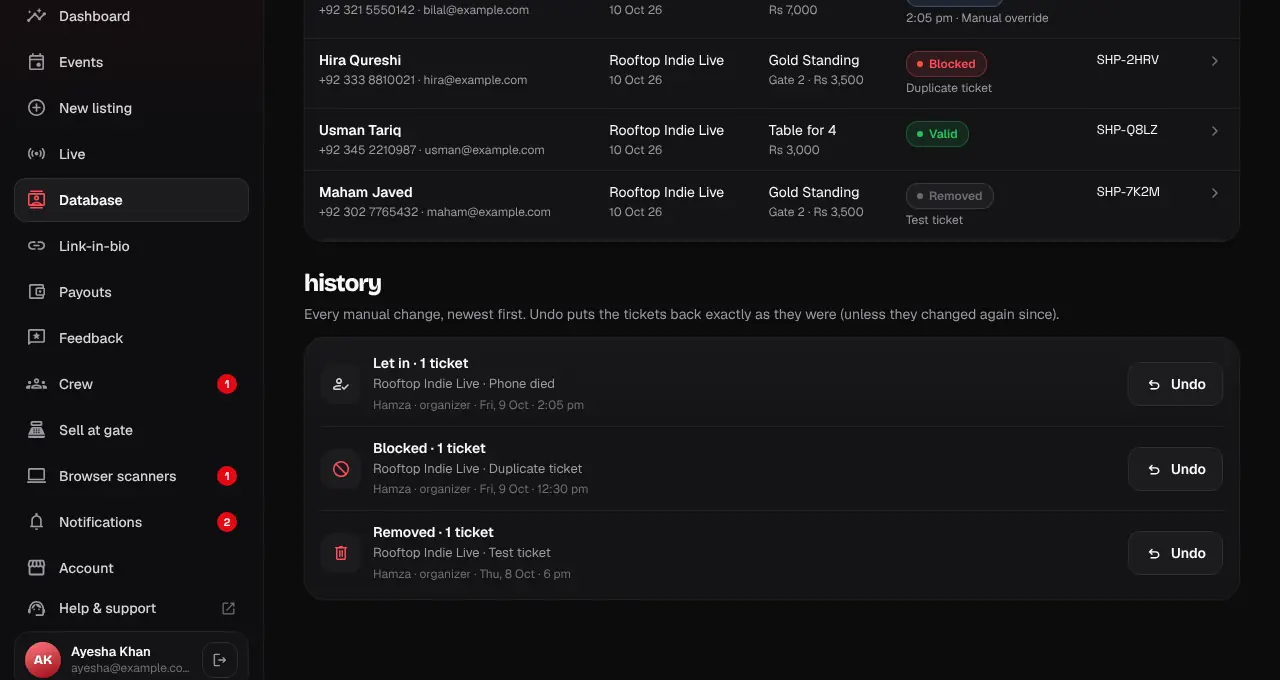
- A ticket that changed again since (for example it was scanned) is left alone, and the message says how many were skipped.
- A person’s record also lists the changes made to their tickets.
Was this helpful?
related
storefrontBlock or delete a ticketStop a ticket from working (block) or remove it (delete), always with a reason the holder sees.storefrontChange every ticket of an event at onceLet everyone in, block all, delete all or ask everyone for feedback, for a whole event.storefrontLet someone in by handCheck a guest in from the Database when their QR won’t work, with a reason.
Still stuck?
didn’t find what you need?
smart_toyAsk ShappyOur assistant answers straight away, with live dates, prices and your orders.chatOpen the chat
support_agentContact supportTalk to a person. We reply within one working day. WhatsApp takes messages (not calls), and each chat gets a support reference.