upgrade your ticket
Move up to a better ticket for the same event and date, and pay only the difference.
- 1
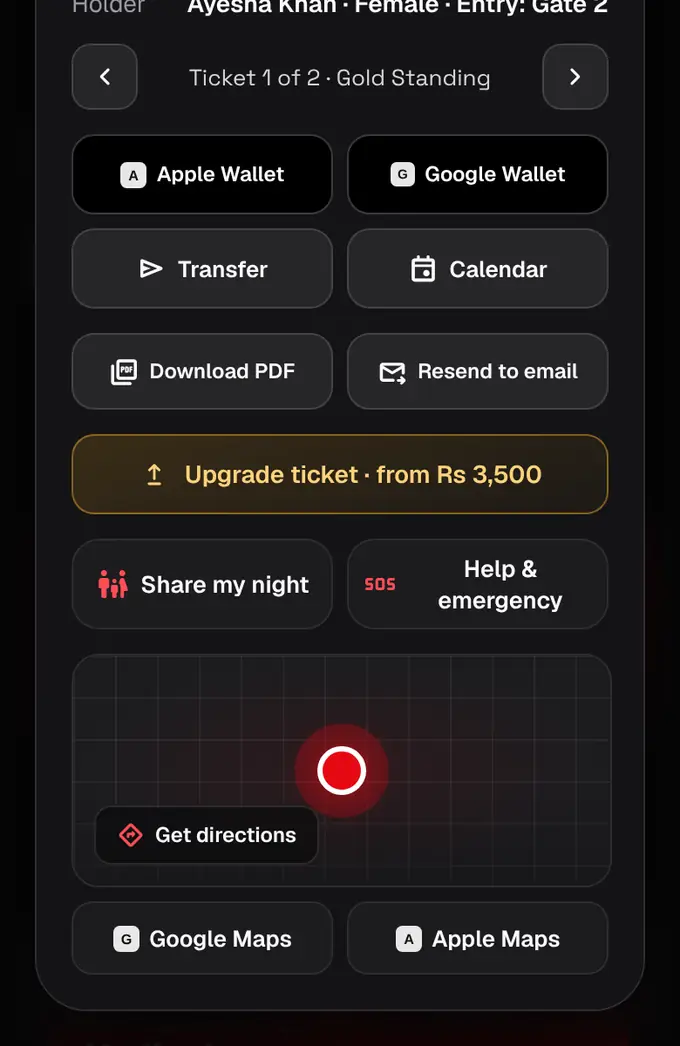
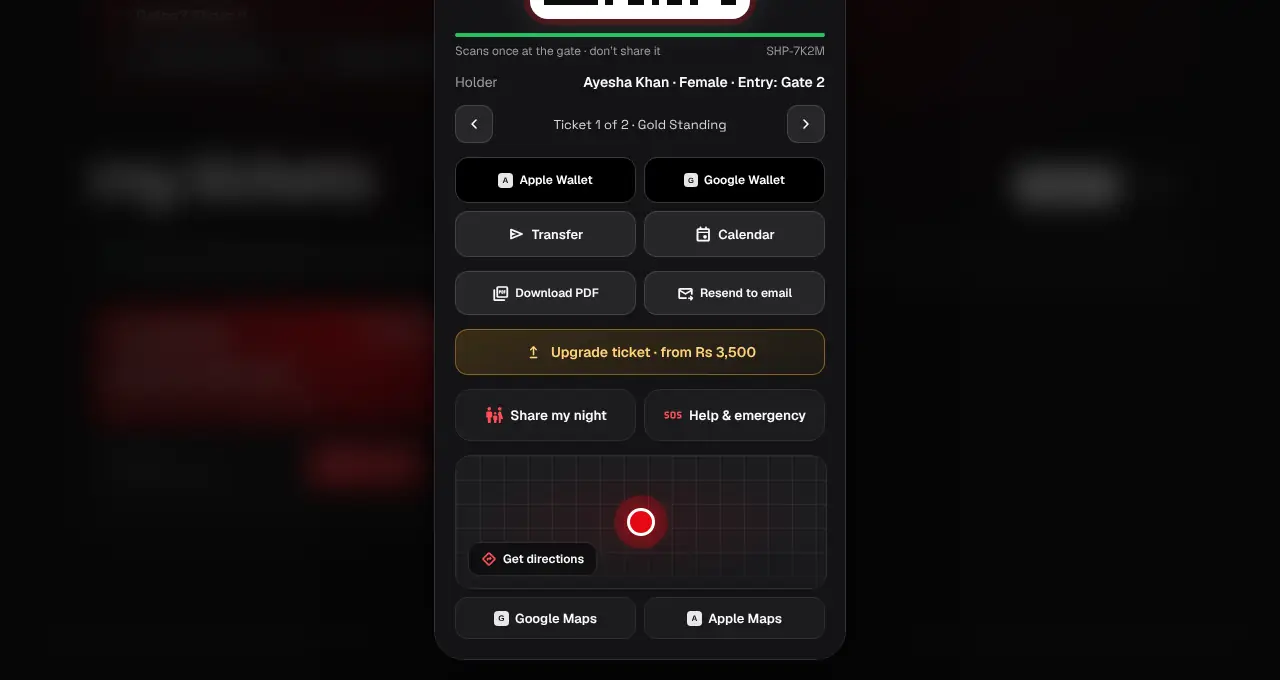
Open My tickets and tap Show QR on the order. If the organizer allows upgrades, an Upgrade ticket button shows under your ticket with the lowest extra price. In the app it’s on the ticket’s Manage tab.
- 2
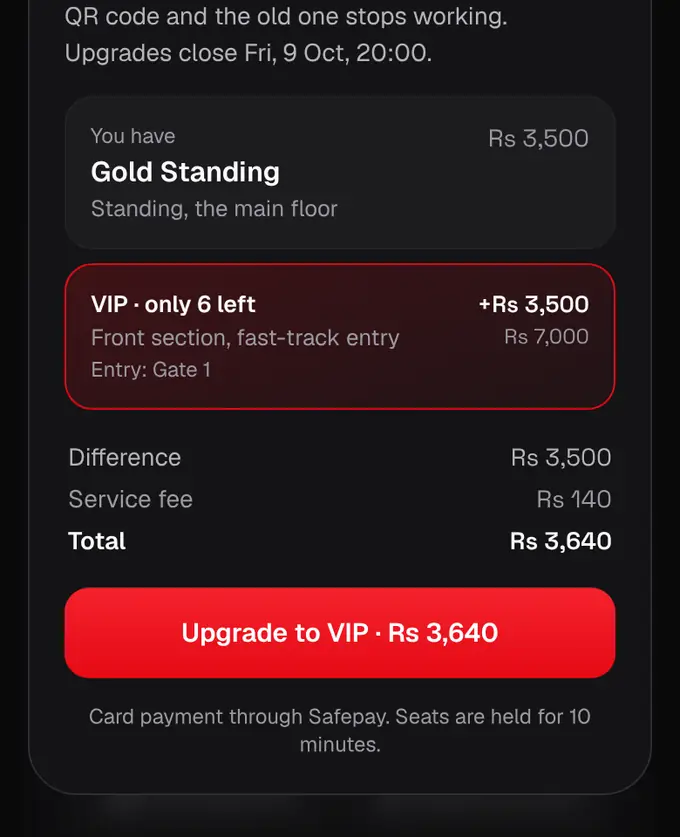
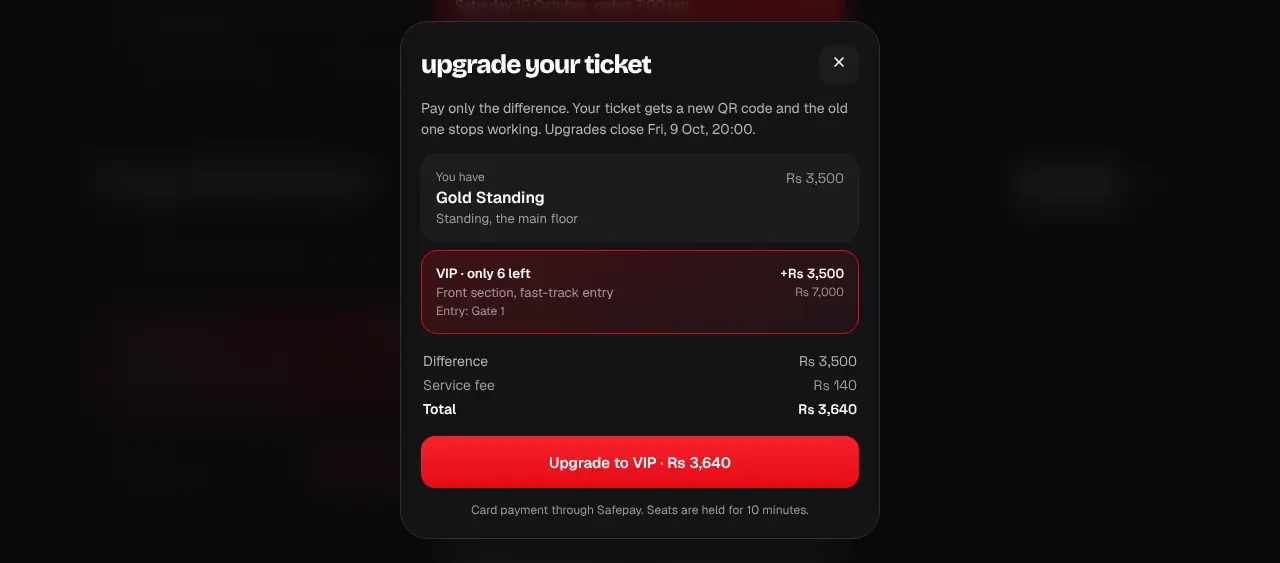
Pick the ticket you want. You see what you have, what each better ticket costs now (early-bird prices count while they last), the difference, the 4% service fee on the difference, and the total.
- 3
Tap Upgrade and pay the same way as at checkout. The ticket is held for you for 10 minutes while you pay.
- 4
Done: your ticket shows the new type, with a brand-new QR code. The old QR stops working, so use the new one (and add it to Wallet again if you saved it there).
- Upgrades close 24 hours before the event starts.
- You pay the new ticket’s current price minus what you paid for yours, plus the 4% fee on that difference. It’s never cheaper than your ticket.
- Group passes, multi-day passes, tickets with a numbered seat and partner tickets can’t be upgraded, and some organizers switch upgrades off.
- While you’re paying for an upgrade you can’t transfer that ticket. Finish the payment (or let the 10-minute hold run out) first.
- No upgrade button? The event may have no pricier ticket left, or the organizer turned upgrades off.
Was this helpful?
related
confirmation_numberFind your ticketsAll your tickets live in My tickets on the website and in the app.confirmation_numberSend tickets to a friendPick which tickets to send and enter your friend’s email, or in the app scan, tap or share a link. It’s free.confirmation_numberRefunds: can’t go? Transfer insteadNo refunds, for any reason. If you can’t go, send your ticket to a friend for free.
Still stuck?
didn’t find what you need?
smart_toyAsk ShappyOur assistant answers straight away, with live dates, prices and your orders.chatOpen the chat
support_agentContact supportTalk to a person. We reply within one working day. WhatsApp takes messages (not calls), and each chat gets a support reference.