fill the last seats with a final-hours deal
Lower prices for the last hours before a date starts: a percentage off or a fixed price per ticket, with an optional limit.
- 1
Open your event in the organizer portal (or app) and find Final-hours deals. Each upcoming date has its own. You can also set it on each date while you create the listing.
- 2
Turn on Final-hours deal and choose when it starts, for example 3 hours before.
- 3
For each ticket pick % off or Fixed price and enter it. You see the new price next to the old one. Free tickets can’t have a deal.
- 4
Optional: limit how many tickets sell at the deal price, and choose whether to alert people who looked at or saved your event (one alert when the deal starts).
- 5
Tap Save deal. It works on live listings too, because it only lowers prices.
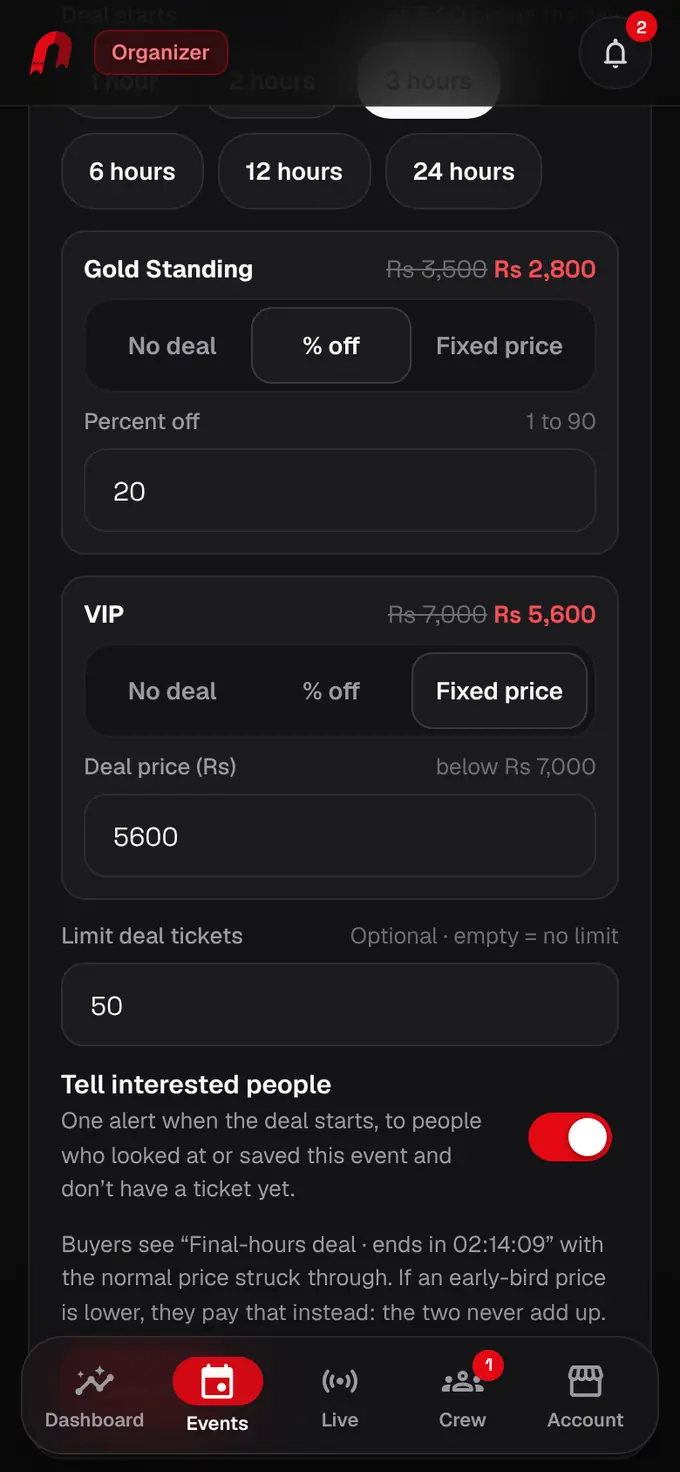
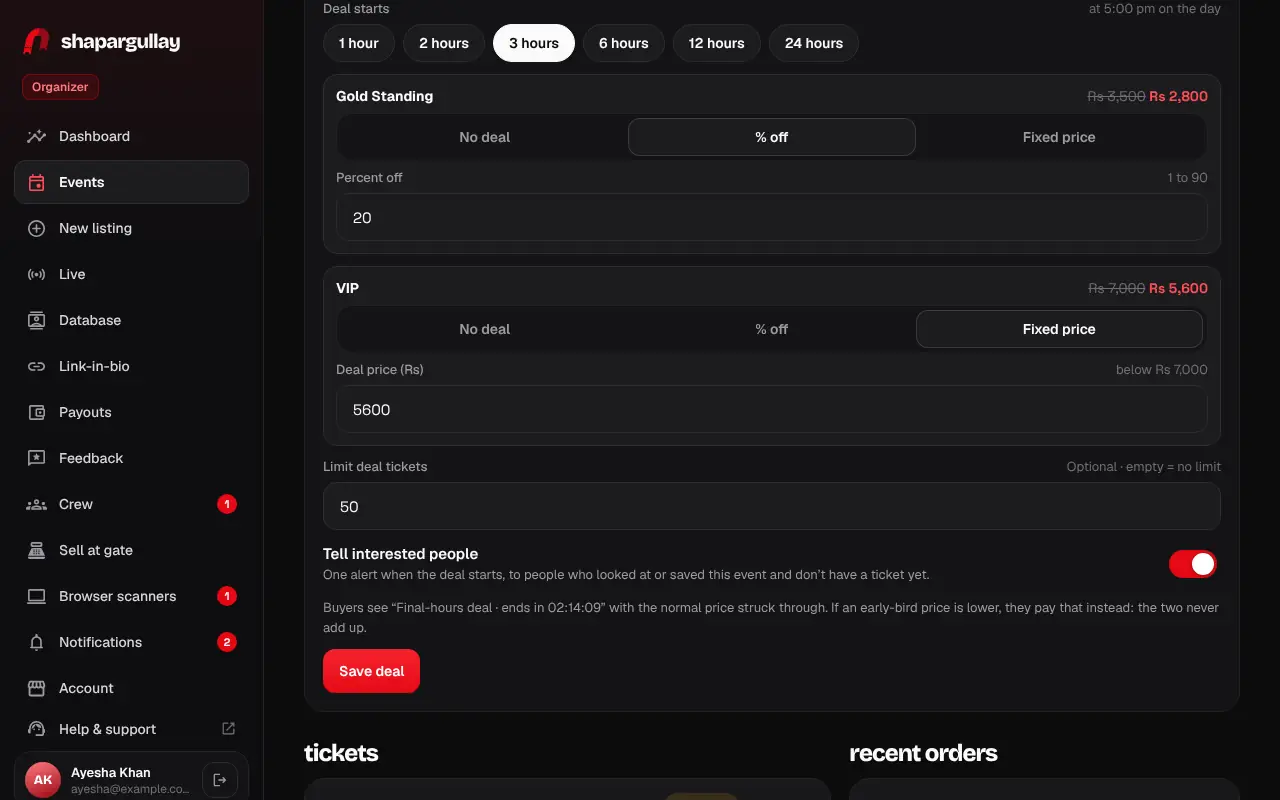
- Buyers see “Final-hours deal · ends in 02:14:09” and your normal price struck through. The deal ends when the event starts.
- If you also have an early-bird price, buyers pay whichever is lower, never both.
- You earn on the deal price: the 4% organizer fee is worked out on what the buyer actually pays.
Was this helpful?
related
storefrontCoupons and group discountsGive groups a bundle discount automatically, and share coupon codes with promoters or students.storefrontSet up tickets, group passes and gatesAdd a ticket type for every kind of guest, with its price, quantity and optional gate.storefrontEdit a listingDrafts and listings in review can be edited; live listings are changed by our team.
Still stuck?
didn’t find what you need?
smart_toyAsk ShappyOur assistant answers straight away, with live dates, prices and your orders.chatOpen the chat
support_agentContact supportTalk to a person. We reply within one working day. WhatsApp takes messages (not calls), and each chat gets a support reference.