shapargullayHelp
Browse eventssupport_agentSupport

coupons and group discounts

Give groups a bundle discount automatically, and share coupon codes with promoters or students.

  1. 1

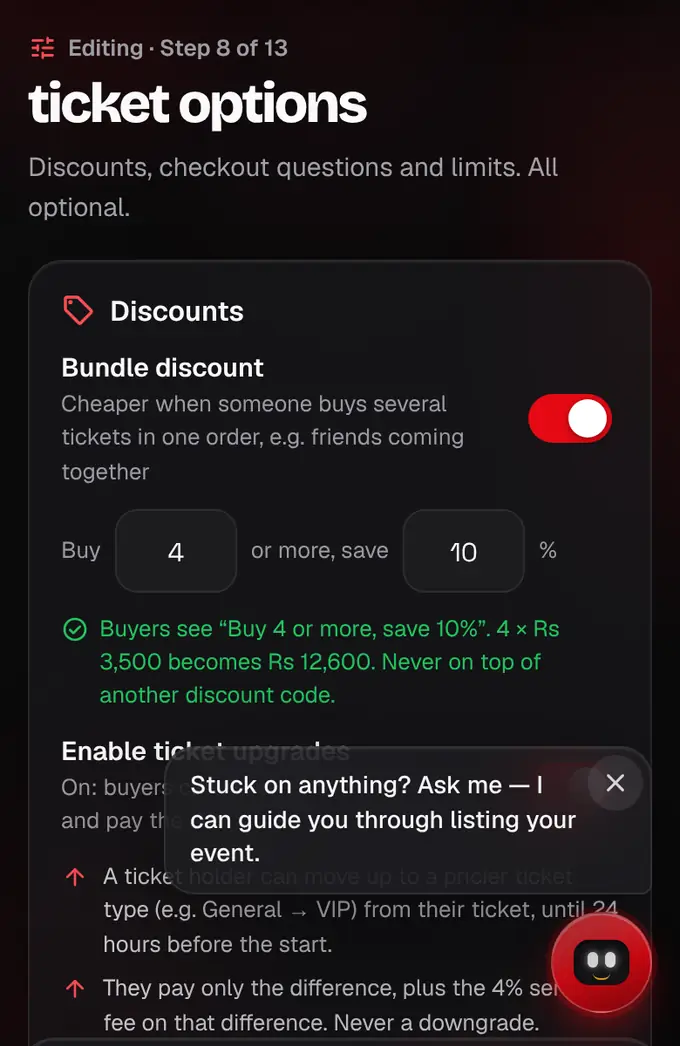
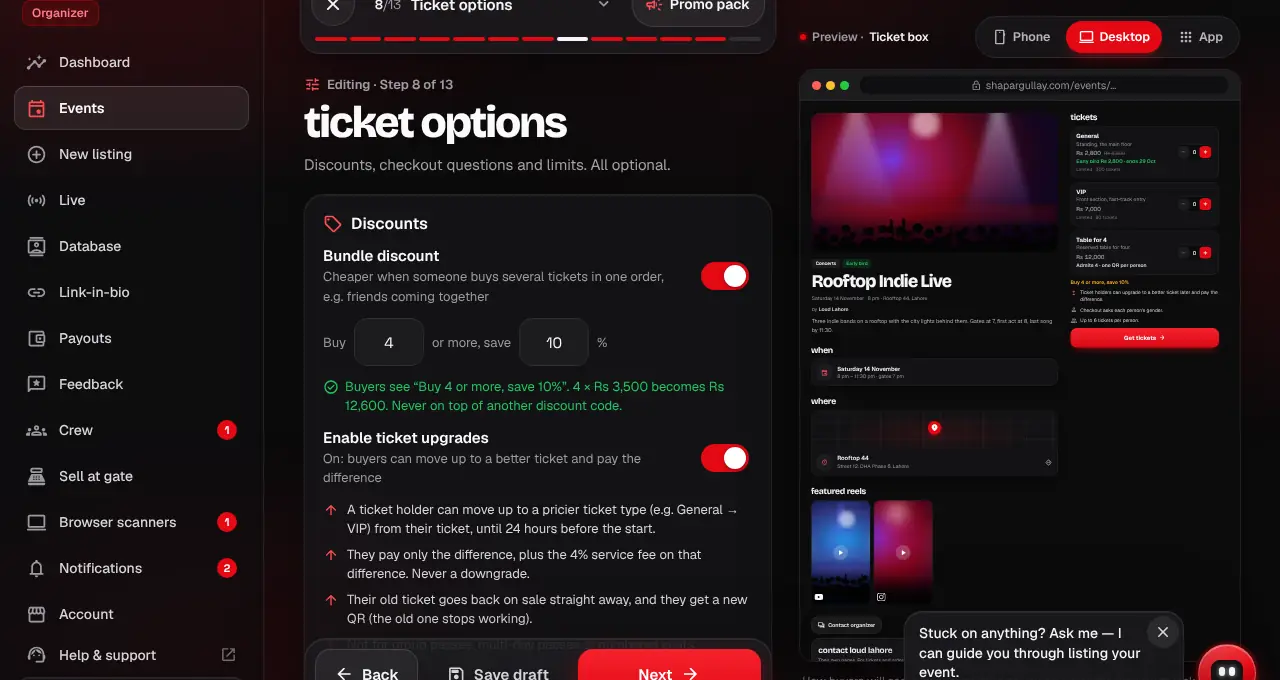
    In the listing editor, under Ticket options, turn on Bundle discount. Set how many tickets and the percent off: it applies by itself at checkout, no code needed.

    The Bundle discount switch and its numbers highlighted
    The Bundle discount switch and its numbers highlighted
  2. 2

    Coupon codes are added after you save the listing: open it in your organizer dashboard (Events → the event). Under Discount codes, tap New code and enter the code, the percent off and, if you like, how many uses and the last day.

  3. 3

    Share the codes. Buyers type them in the Coupon code box at checkout. Discount codes lists every code with how many were used.

  4. 4

    Turn on “Tell fans” on a code to send it to people who tapped “Tell me about deals” on your event. They get it within about 15 minutes, at most one deal alert a day per event.
lightbulbGood to know
  • Buyers can use one code per order, so a coupon and a promoter’s code don’t add up.
  • Want promoters to earn on their sales? Give them a promoter code instead (see Invite promoters and track their sales).
Was this helpful?

related

storefrontInvite promoters and track their salesGive promoters their own link and code, set their commission, and see every click, sale and rupee they earn.storefrontSet up tickets, group passes and gatesAdd a ticket type for every kind of guest, with its price, quantity and optional gate.confirmation_numberBuy ticketsPick your tickets, add a name for each person, and pay. Your seats are held for 10 minutes.storefrontChoose how buyers can payPick which payment methods your event takes: cards through Safepay, and through PayFast cards (including PayPak), bank account, Raast, JazzCash and Easypaisa.storefrontSee where your sales come fromSales sources shows tickets and ticket sales by Instagram, WhatsApp, Facebook, TikTok, search and more, and makes tagged links to share.storefrontTicket upgradesLet buyers move up to a better ticket and pay only the difference.storefrontFill the last seats with a final-hours dealLower prices for the last hours before a date starts: a percentage off or a fixed price per ticket, with an optional limit.
Still stuck?

didn’t find what you need?

smart_toyAsk ShappyOur assistant answers straight away, with live dates, prices and your orders.chatOpen the chat
support_agentContact supportTalk to a person. We reply within one working day. WhatsApp takes messages (not calls), and each chat gets a support reference.mailMessage uschatWhatsAppalternate_emailsupport@shapargullay.com