see where your sales come from
Sales sources shows tickets and ticket sales by Instagram, WhatsApp, Facebook, TikTok, search and more, and makes tagged links to share.
- 1
Open your organizer dashboard. Sales sources shows every event together; open an event (Events → the event) to see just that one. Pick All time, 30 days or 7 days.
- 2
Each channel shows its ticket sales, tickets and share. Tagged links lists the exact links that sold, by campaign.
- 3
Under Share links, copy the link for where you’re posting: Instagram bio, Instagram story, WhatsApp, Facebook, TikTok, YouTube, email or a poster QR. Add a campaign name (like launch) to compare posts.
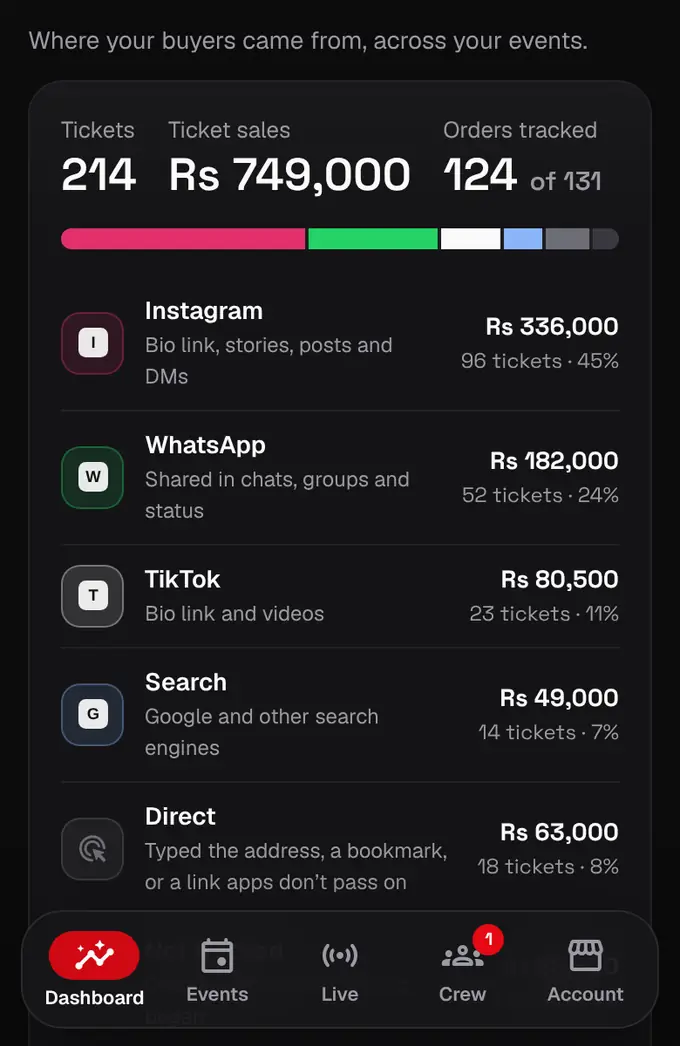
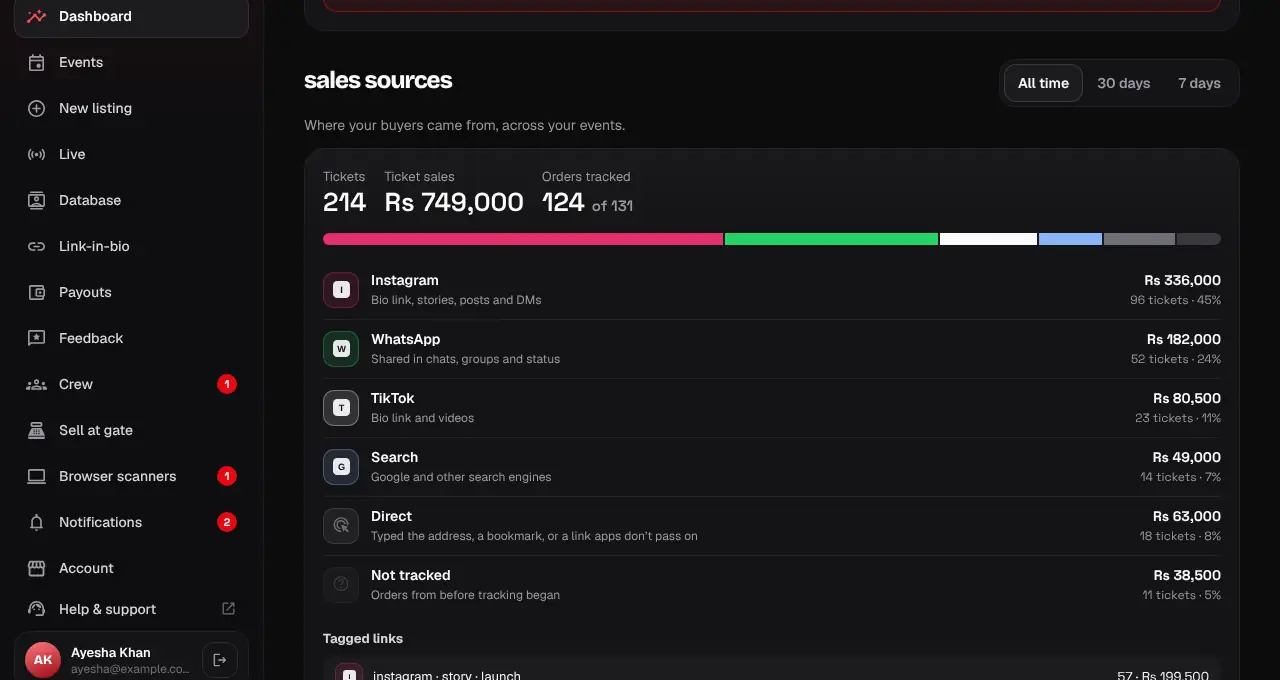
- We note how each buyer first arrived in the 7 days before buying. A tagged link wins over a plain visit; buyer names are never shown here.
- Direct means people typed the address, used a bookmark, or came from an app that hides where links come from (WhatsApp often does: use the WhatsApp link to count those).
- Orders from before tracking began show as Not tracked. Older sales made on crew phones show as Sold at the gate.
Was this helpful?
related
storefrontCoupons and group discountsGive groups a bundle discount automatically, and share coupon codes with promoters or students.storefrontRead your event feedbackSee how guests rated your event and your service, and the comments they chose to share.storefrontGet paid: organizer payoutsPayouts are automatic: every Monday for sales that cleared 7 days after payment, once Rs 10,000 has cleared.
Still stuck?
didn’t find what you need?
smart_toyAsk ShappyOur assistant answers straight away, with live dates, prices and your orders.chatOpen the chat
support_agentContact supportTalk to a person. We reply within one working day. WhatsApp takes messages (not calls), and each chat gets a support reference.