invite promoters and track their sales
Give promoters their own link and code, set their commission, and see every click, sale and rupee they earn.
- 1
Open your event at shapargullay.com/organizer/events (or in the Organizer app) and scroll to Promoters.
- 2
Set the commission new promoters get, for example 5%. It’s a % of the ticket price after discounts; our service fee isn’t included. Each promoter can have their own % too.
- 3
Tap Invite. Add their name (buyers see “Referred by …”), their email and, if you like, their phone. Optionally give them a code, like ALI10, and a discount: a % or a rupee amount off.
- 4
Choose whether their link gives the discount by itself. Off: only people who type the code get it. Either way the link and the code always credit them.
- 5
Tap Send invite. We email them, and you can copy the invite or send it on WhatsApp. They sign in, accept, and their link and code work straight away.
- 6
Promoters are listed best first, with clicks, tickets, sales and commission owed and paid. Use Edit to change their % (for future sales), code or discount, Pause to stop their link and code for a while, or Remove.
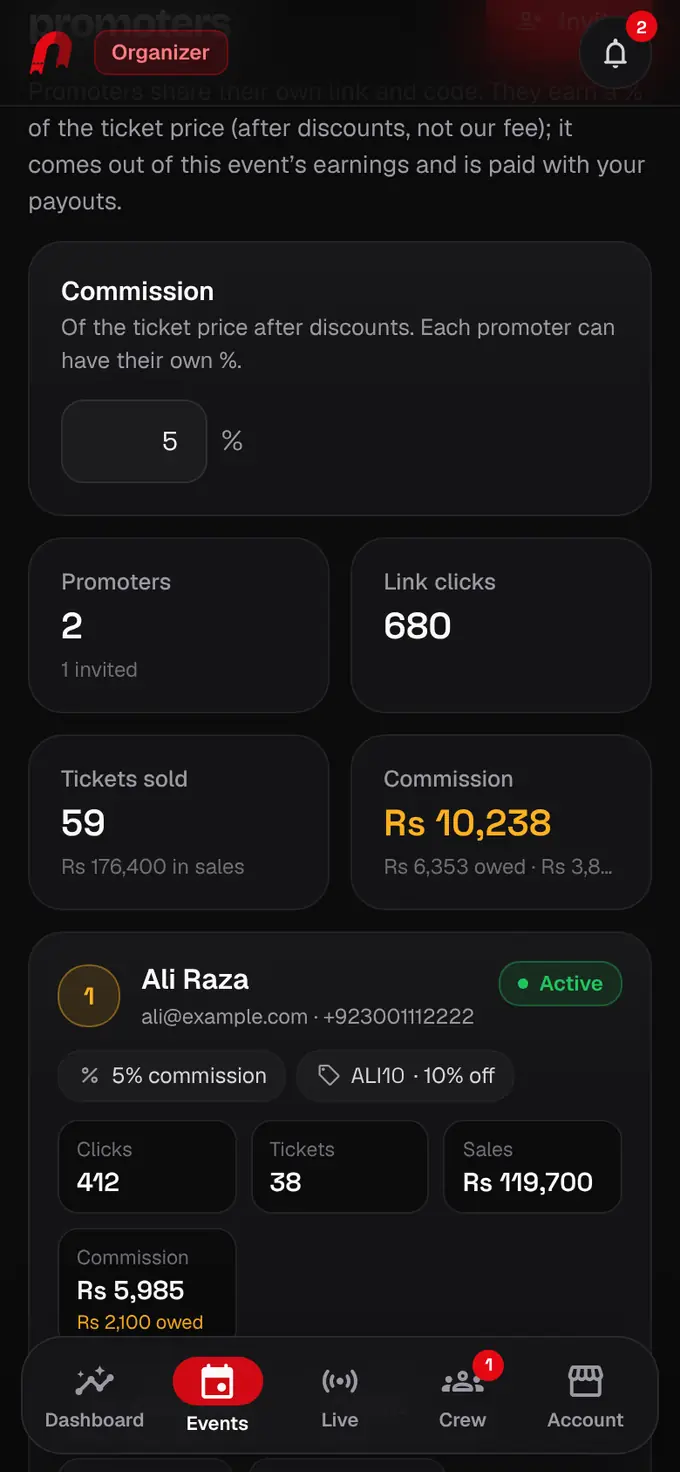
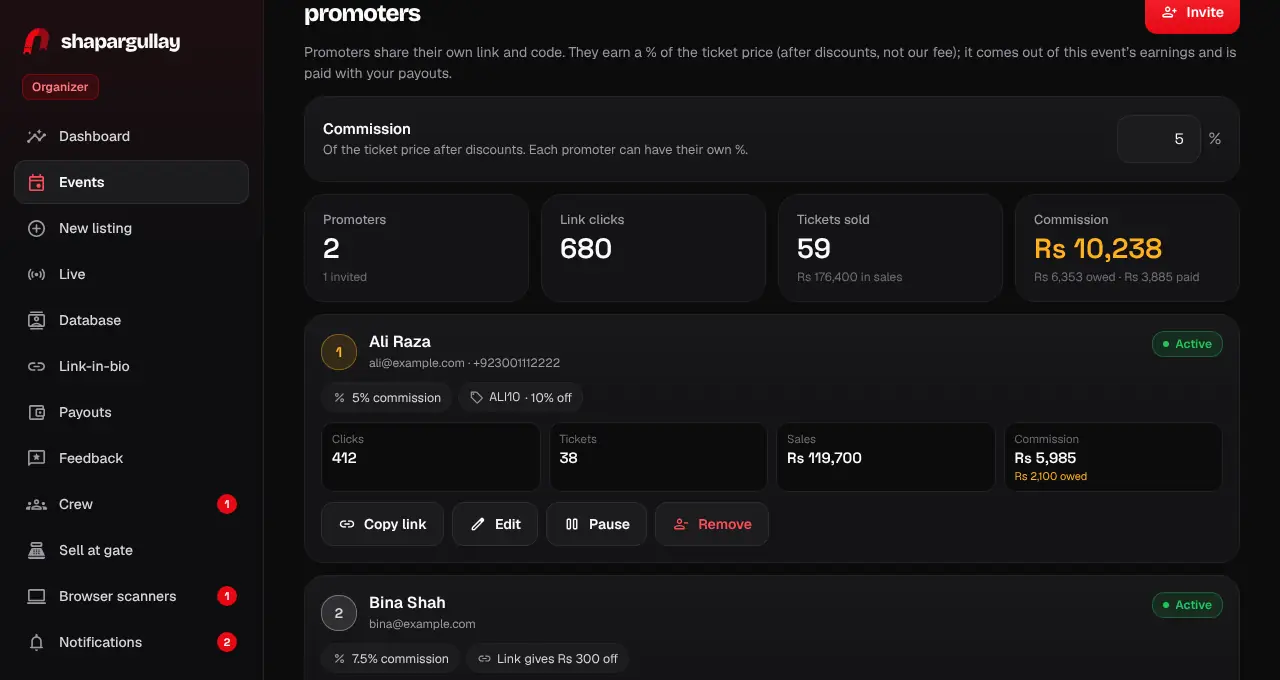
- Commission comes out of your earnings for that event, never out of our 4% fee. Your Payouts page shows it as “Promoter commissions”.
- We pay your promoters on the same Mondays as you: their commission clears 7 days after the buyer pays and goes out once Rs 10,000 or more has cleared (or in full after the events).
- A buyer can use one code per order. A typed code wins; otherwise the sale goes to the last promoter link they opened in the past 7 days.
- Promoters never earn on their own purchases. If an event is cancelled, commission not yet paid is held with the event’s money until our team decides whether to release it.