find someone in your database
Search everyone holding a ticket to your events by name, phone, email or order.
- 1
Open Database at shapargullay.com/organizer/database (or the Database tab in the Organizer app).
- 2
Type part of a name, the last digits of a phone number, an email or an order number. Pick an event in the box next to it to see only that event.
- 3
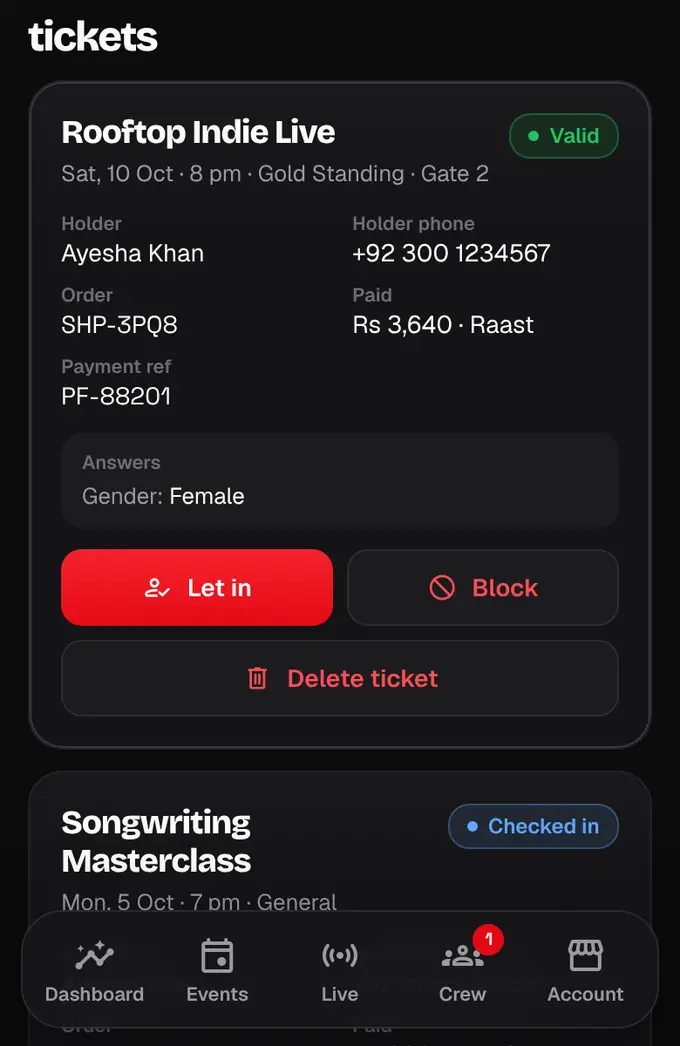
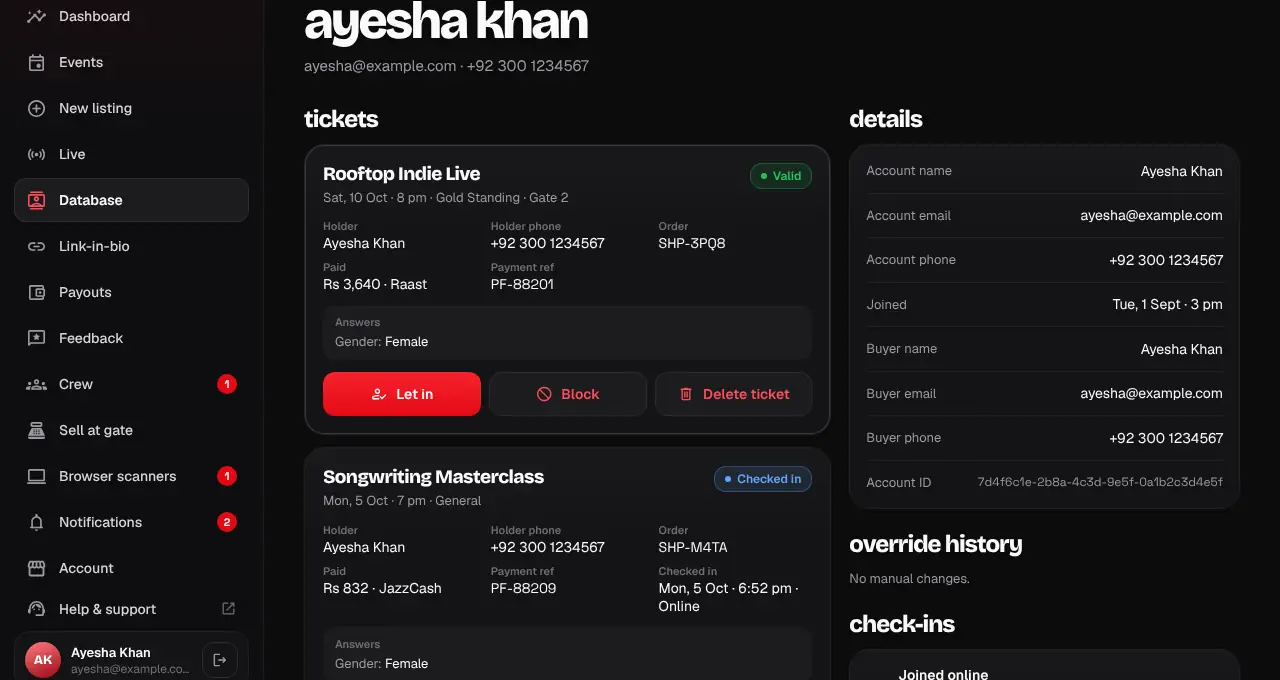
Tap a person to open their record: every ticket they hold for your events, their answers at checkout, check-ins, manual changes and any feedback they shared.
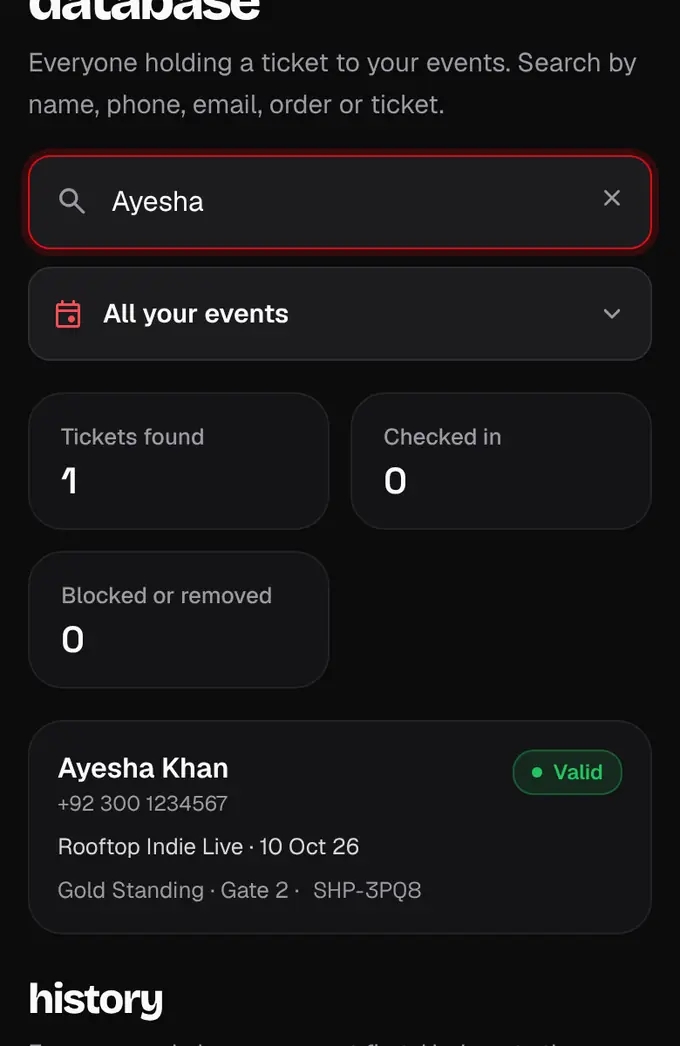
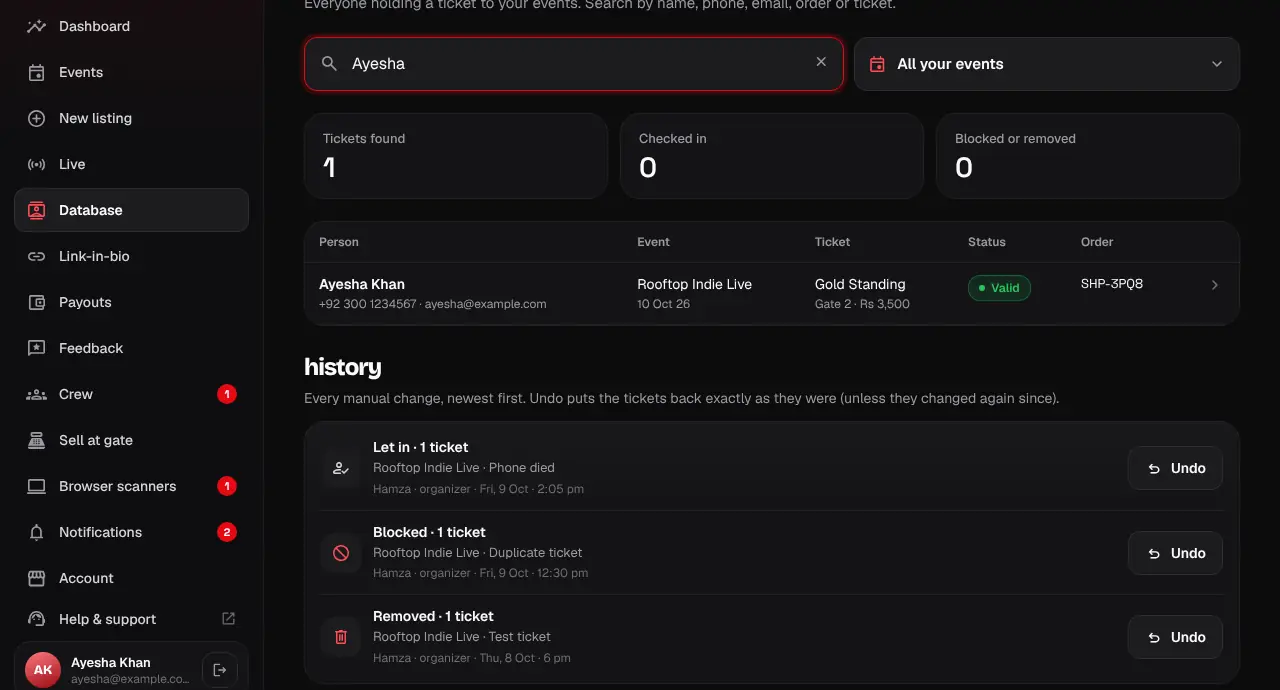
- The totals at the top show how many tickets match, how many are checked in and how many are blocked or removed.
- You only ever see people with tickets to your own events.
Was this helpful?
related
storefrontLet someone in by handCheck a guest in from the Database when their QR won’t work, with a reason.storefrontBlock or delete a ticketStop a ticket from working (block) or remove it (delete), always with a reason the holder sees.storefrontUndo a change and see the historyEvery manual change is listed, newest first, and one tap puts the tickets back.
Still stuck?
didn’t find what you need?
smart_toyAsk ShappyOur assistant answers straight away, with live dates, prices and your orders.chatOpen the chat
support_agentContact supportTalk to a person. We reply within one working day. WhatsApp takes messages (not calls), and each chat gets a support reference.