pick your own seats
At cinemas, auditoriums and theatres with numbered seats, you choose your exact seats on a map.
- 1
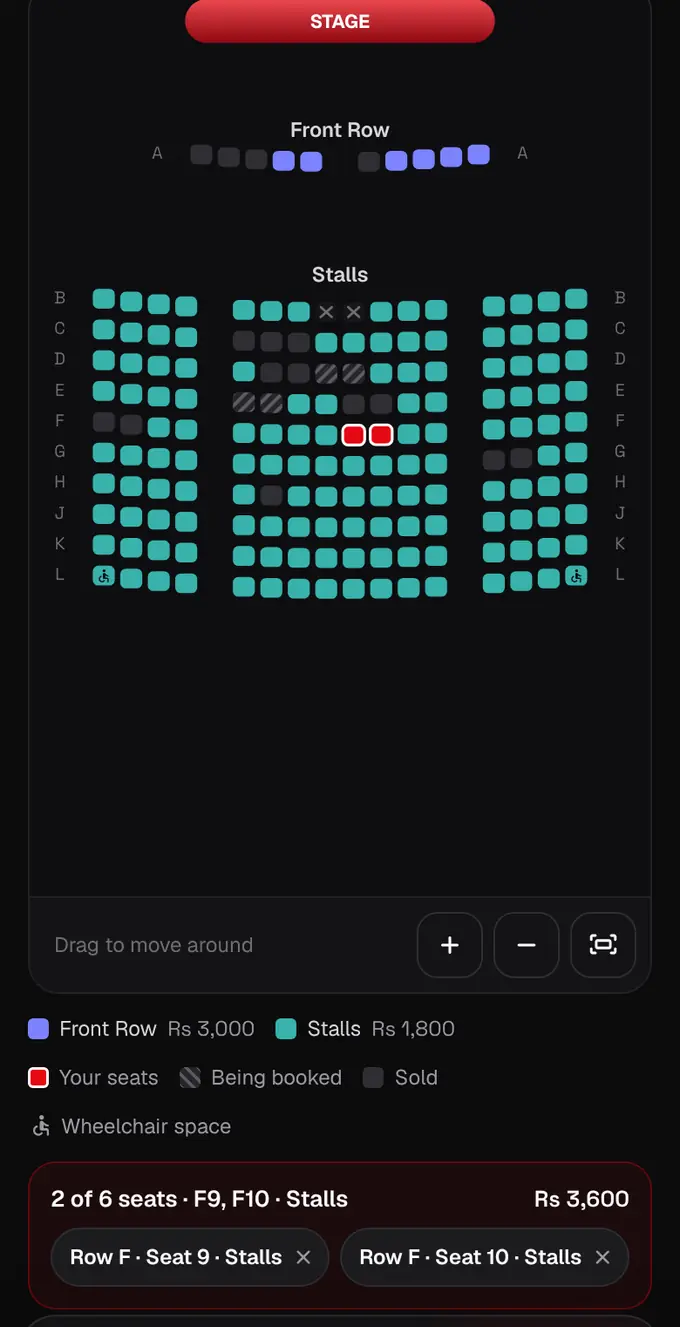
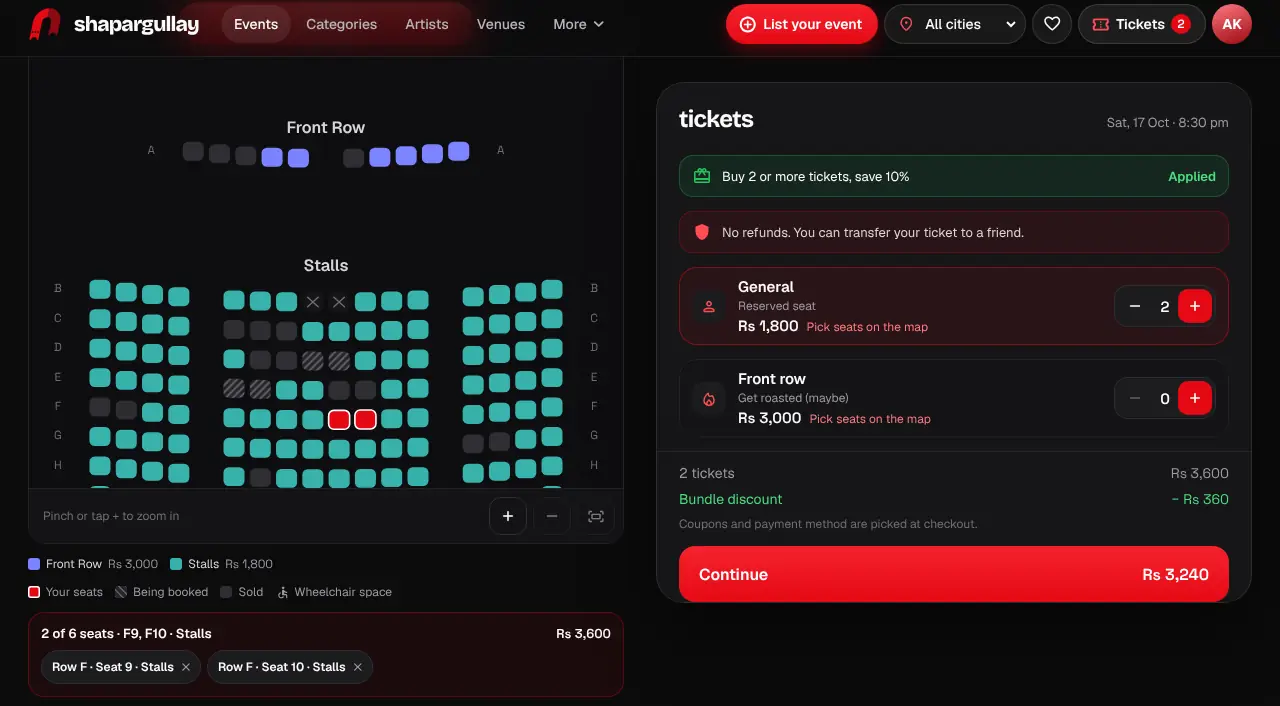
Open the event. If it has numbered seats, you’ll see “pick your seats” with a map of the hall: the stage or screen is at the top and each section has its own colour, with its price in the legend underneath.
- 2
Tap a seat to pick it; it turns red. Tap it again to let it go. On a phone, pinch or use the + and − buttons to zoom, and drag to move around. Grey seats are sold, striped ones are in someone else’s checkout right now, and seats with the wheelchair sign are wheelchair spaces.
- 3
Each seat you pick adds one ticket of that section. There’s a limit per order (shown above the map). The map refreshes every 10 seconds, so if someone else books a seat you picked, it drops out and we tell you.
- 4
Tap Continue and check out as usual. Your seats are held for you for 10 minutes while you pay; nobody else can take them in that time.
- 5
Your ticket, PDF, email and Wallet pass all show your seat, like “Row C · Seat 12 · Balcony”, and so does the gate scanner. If you transfer a ticket, the seat goes with it.
- Most events don’t use numbered seats: you just pick a ticket and stand or sit in that area.
- A group pass like “Table for 4” needs a seat for each person.